


Can you have multiple TikTok accounts? How to set up and run them in 2026
TL;DR
- Yes, you can. TikTok’s Terms of Service allow one person to hold several accounts, as long as each one follows the Community Guidelines.
- The in-app account switcher holds up to three accounts per device.
- Accounts get restricted for device and IP overlap, repeated content, rapid switching and automation, not for the account count itself.
- Free options first: the in-app switcher covers up to three accounts, and separate phones cover the rest if you already own them.
- Beyond that, one Android cloud phone per account keeps device data and login history apart without buying hardware.
TikTok has grown from a short-form entertainment app into a major platform for creators, businesses, and marketers. With a global community of more than 1 billion users, it has become an important channel for discovering products, building audiences, growing brands, and turning content into business opportunities.
As the platform continues to grow, managing more than one TikTok account has become increasingly common. Creators may run separate profiles for different niches, businesses may manage accounts for different brands or markets, and agencies may handle multiple client accounts at the same time.
But managing several accounts is not as simple as creating them and switching between profiles. TikTok has rules around spam, deceptive behavior, and other forms of suspicious activity, meaning the way accounts are created, accessed, and managed matters.
For example, multiple accounts may require different content strategies, dedicated workflows, and a reliable way to keep profiles organized. This is where having the right setup can make managing a portfolio of accounts much easier.
Multilogin’s free plan gives you one Cloud Phone and four browser profiles, making it enough to test the setup and see how it fits your workflow. However, managing a larger portfolio requires more resources and a more structured approach.
In this article, we’ll break down why people manage multiple TikTok accounts, what you need to get started, how to set up and organize your accounts, what can lead to restrictions, and how to manage multiple accounts more efficiently day to day.
Multiple TikTok accounts at a glance
| Question | Short answer |
| Is it allowed to have multiple TikTok accounts? | Yes, as long as every account follows TikTok’s Community Guidelines |
| How many TikTok accounts fit in one app? | Three per device, through the built-in account switcher |
| What does each TikTok account need? | Its own phone number or email (a separate number works best), and ideally its own device |
| Can each account make money? | Yes, if that account meets the monetization requirements on its own |
| Biggest risk | Accounts getting linked by a shared device, network or behavior |
Thinking of starting with an account that already has an audience? Read our guide on how to buy a TikTok account safely before you pay anyone.
Check your setup with Pixelscan Android Checker to avoid bans.


Why run multiple TikTok accounts?
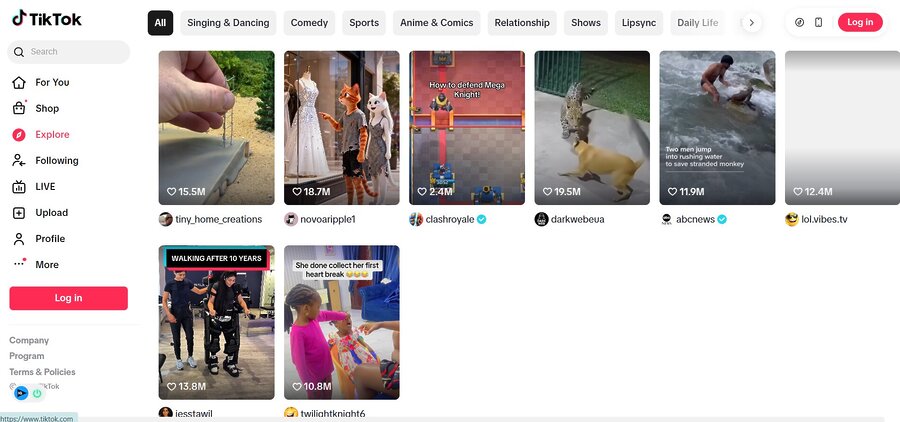
TikTok’s For You feed works out very quickly what an account is about. Post sourdough on Monday, a skincare routine on Wednesday and a crypto explainer on Friday, and the algorithm struggles to decide who should see you. Followers get confused too. When each topic lives on its own account, each one builds a clear identity, and that usually means better recommendations and an audience that sticks around.
Who runs multiple TikTok accounts, and why
| Who | Typical setup | What the extra accounts do |
| Solo creator | 2 to 3 accounts | One main niche, plus a space for experiments or a second topic |
| Brand or online store | One account per market or product line | Local language, local trends and content built for each audience |
| Agency or social media manager | One account per client | Separate logins, analytics and content calendars |
| Performance marketer | Several test accounts | Try hooks, formats and posting times before scaling what works |
Then there’s the personal and professional split. Most people want somewhere to post their dog’s worst moments that isn’t sitting right next to their client work.
Whatever your reason, give every account one job. If you can’t say in a single sentence what an account is for, it probably doesn’t need to exist yet.
Replying to comments on several profiles eats hours. Our TikTok comment generator guide shows how to draft replies faster without sounding copy-pasted.
How do you set up multiple TikTok Accounts?
Signing up takes a few minutes. How you register each account and where it runs matter more for keeping it in good standing.
1. Sign up
Creating a TikTok account is quick. You can register with your phone number or email through the TikTok website or app. Follow the on-screen steps and set a strong password.
That said, the registration method matters. Email sign-ups are more likely to trigger TikTok’s risk checks, so register with a phone number or Google account where possible. On Android, signing in to a Google account on the device first and then registering through Google is usually the smoothest route.
It also helps to update to the latest TikTok version from Google Play or the App Store before you register.
2. Use unique phone numbers
Give each TikTok account its own phone number or email address. TikTok links each email to a single account, so you can’t register two accounts with the same address. A separate phone number per account is the better choice, since it keeps verification simple and helps TikTok recognize each account as independent.
3. Keep devices and sessions organized
If you manage several profiles, keep their logins on separate devices instead of switching everything inside one app. This lowers the chance of TikTok flagging your activity as suspicious and makes it easier to move between accounts. TikTok is a mobile-first app, so the cleanest setup is one phone per account, and Multilogin cloud phones for TikTok give each account its own real Android device in the cloud when buying extra phones isn’t practical.
4. Plan content for each account
Once your accounts are set up, tailor content for each audience. For example, keep your main account for consistent brand content and use a second one to test trends and posting times before bringing what works back to the main page.
Before you scale up, it helps to know what TikTok treats as suspicious when one person runs several accounts.
Can managing multiple TikTok accounts get you banned?
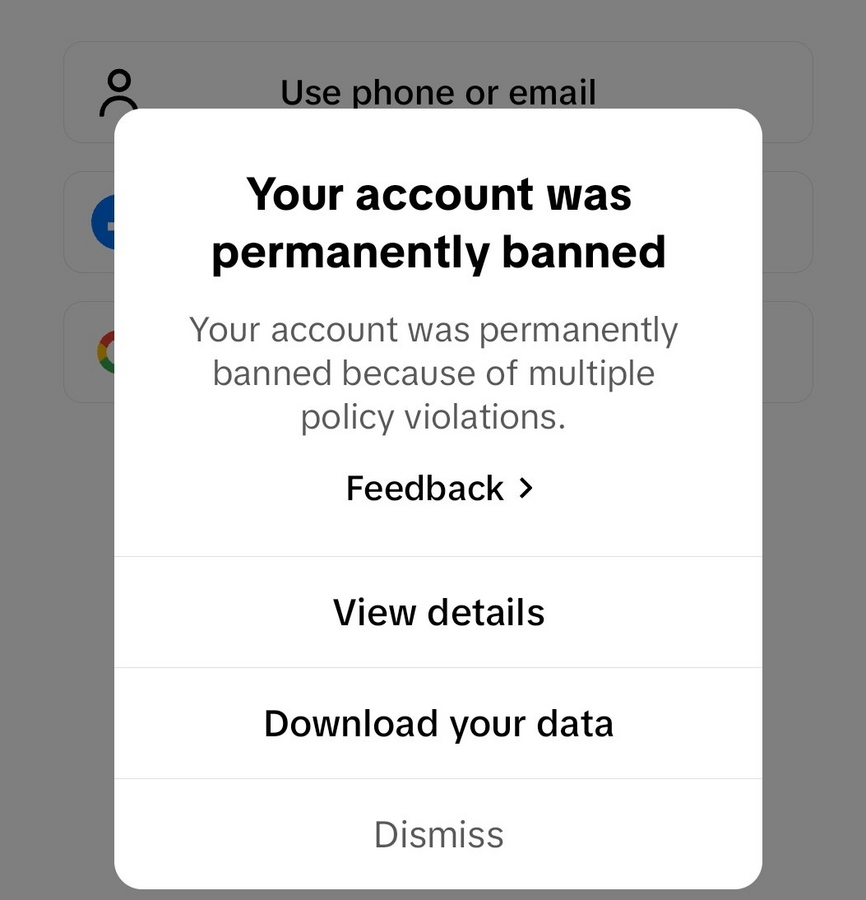
It can, though not simply because you have more than one. TikTok’s Integrity and Authenticity guidelines target spam, fake engagement and coordinated inauthentic behavior. Multi-account setups trip those systems when the accounts look like one operator trying to game reach. TikTok also removes fake accounts in large numbers every quarter and publishes the totals in its Community Guidelines Enforcement Report, so detection is taken seriously.
Penalties range from a shadowban that quietly limits reach to a permanent ban, which can take linked accounts down too.
Here are the most common reasons multi-account users get flagged.
1. Logging in and out too frequently
Switching between several accounts from the same device or IP address in a short period can trigger TikTok security filters. The platform may read this as automated behavior.
2. Reusing the same device or network
When many accounts share the same device or internet connection, TikTok can connect them and treat them as part of a network of fake or spam accounts. This matters more on TikTok than on web-first platforms, because the app reads device-level signals such as hardware identifiers and tap patterns.
3. Posting identical or repetitive content
Sharing the same videos, captions or hashtags across multiple accounts is another red flag. The TikTok algorithm rewards originality, and duplicated content can quickly lead to shadowbans.
4. Using automation tools or third-party apps
Software that mimics human actions, such as auto-liking, following or commenting, violates TikTok policy and can lead to a permanent ban.
Managing multiple accounts comes with risks, so read our article on TikTok shadowbans to learn how to avoid them.
3 ways to manage multiple TikTok accounts
There’s no single right setup. It depends mostly on how many accounts you run and how much hardware you’re willing to look after.
| Method | How accounts are separated | Capacity | Upfront cost | Best for |
| Cloud phones (Multilogin) | One cloud Android device and IP per account | Grows with your plan | Free plan, paid from $7.08/month | Growing creators, brands and agencies |
| Separate physical phones | One real phone per account | As many phones as you own | Each device plus a SIM | Small setups with spare hardware |
| TikTok account switcher | Same phone, same app | Up to 3 per device | Free | A personal page plus a side project |
1. Use Multilogin cloud phones for multiple TikTok accounts
Pricing
Key Features
Multilogin for multiple TikTok accounts gives each profile its own Android cloud phone, a real Android device hosted in the cloud with its own app data, login history and location. TikTok is a mobile-first platform that reads device signals inside its app, so running each account on a separate cloud phone keeps accounts apart in a way that switching logins on one phone cannot. Everything is managed from one dashboard, which lets solo creators and small teams run several TikTok profiles without buying extra phones.
How Multilogin helps:
- Built for beginners: A clear interface and ready-to-use settings let you launch a cloud phone, open TikTok from the built-in app list and start working in minutes, with no technical setup.
- One device per account: Each cloud phone keeps its own app data, session and account state, so your TikTok accounts never share a device or login history. Browser profiles are also available for web-based tasks, each with its own cookies, session and IP.
- Built-in proxies: Every plan includes residential proxy traffic, and each profile can use its own IP and location, so there is no separate proxy service to set up.
- Persistent sessions for gradual warmup: Each cloud phone keeps its login history over time, so new accounts can build activity step by step instead of starting from zero every session.
- Faster setup at scale: Bulk creation, cloning and profile templates cut down setup time, and Pro and Business plans add API access for teams that build their own workflows.
Multilogin has a free plan with no time limit and no credit card required, and paid plans start from $7.08/month. The free plan includes 5 cloud phone and browser profiles, 200 MB of proxy traffic and 30 mobile minutes as a one-time bonus, which is enough to test a TikTok setup before choosing a paid plan.
2. Use Separate Devices for Each Account
A simple way to keep TikTok accounts organized is to give each one its own device, such as a phone or tablet. Install the TikTok app on every device and register each account with its own phone number or email address. A separate number works best.
This keeps your accounts fully isolated and helps you avoid cross-posting mistakes or overlaps that might trigger TikTok security systems.
Separate phones give you real isolation, but the cost and upkeep grow with every device you add. If you don’t want to buy and maintain a shelf of phones, cloud phones do the same job remotely. Multilogin (covered above) and other providers such as GeeLark offer Android devices hosted in the cloud, so check what the price includes, especially proxies and mobile minutes, before you choose.
3. Use the TikTok account switcher (1 to 3 accounts)
If you only have one device, TikTok lets you manage multiple accounts within the same app. Here’s how:
- Open TikTok and go to your profile (bottom right corner).
- Tap your username at the top of the profile page.
- Select “Add account.”
- Follow the prompts to create a new account with a different email or unique phone number.
Note: TikTok limits you to three accounts per device.
Switch between accounts by tapping your username on the profile page.
How to set up TikTok accounts on Multilogin cloud phones
Step 1. Download and sign in
Download the Multilogin app and sign in. The free plan is enough for a first test.
Step 2. Create your first cloud phone
- Name the profile after the TikTok account it will run, so it’s easy to find later.
- Choose an Android version and a device model. Android 10 to 16 are available, and versions 14 to 16 are recommended for modern apps like TikTok.
- Set the built-in proxy location to match the audience the account targets.
- (Optional) Add tags or notes to group profiles by client or campaign.
Step 3. Open TikTok and sign in
Launch the cloud phone, open TikTok from the ready-to-use app list, and log in or register the account. The cloud phone keeps the app data and session, so the account stays signed in the next time you open it.
If you’re creating a new account rather than logging in to an existing one, register with a phone number or through a Google account signed in on the cloud phone. Email sign-ups are more likely to trigger TikTok’s risk checks, and updating to the latest TikTok version first also helps (see the sign-up tips above).
When you finish a session, stop the cloud phone so it stops using mobile minutes.
Step 4. Add more accounts
Once one setup works, repeat it for each new TikTok account, or use cloning and bulk creation to speed things up. Each profile runs in its own isolated environment, so accounts never share a device or IP. For tasks you’d rather handle in a desktop browser, you can also run browser profiles with their own cookies and IP from the same dashboard.
To get the most engagement across multiple accounts, check out our article on the best time to post on TikTok for each niche.
Why choose Multilogin for managing multiple TikTok accounts?
Running multiple TikTok accounts well comes down to two things: keeping them separate and keeping a steady routine. Multilogin handles the separation, so your time goes into the content.
Here’s what TikTok creators and marketers get with Multilogin:
- Over 10 years in the market: Multilogin was founded in 2015 and now combines Android cloud phones and browser profiles in one platform.
- Everything in one subscription: Cloud phones, browser profiles, built-in residential and mobile proxies, and mobile minutes are included, so you don’t need to combine separate tools.
- Support when you need it: 24/7 support in 5 languages, plus regular product updates.
Start on the free plan and move to Pro or Business as your accounts grow. Business plans add unlimited team seats, which is what most agencies end up needing.
Conclusion
Key takeaways from this guide:
- Give each account one clear job, like a separate niche or a client.
- Keep each account on its own phone number and device. Multilogin cloud phones cover this without a shelf of hardware.
- Multilogin combines Android cloud phones with built-in proxies in one subscription, and you can start on the free plan.
- Cloud phones, from Multilogin or other providers such as GeeLark, are a scalable alternative to buying physical devices.
FAQ
Yes. TikTok lets one person create and run several accounts, as long as each one follows the Community Guidelines. The in-app account switcher fits three accounts per device, so for more you need separate phones or Multilogin cloud phones, which run each account on its own Android device in the cloud.
To add an account in the app:
- Open TikTok and go to your profile.
- Tap your username and select Add Account.
- Sign up with a unique phone number or email for the new account.
Keeping each account on its own device lowers the risk of TikTok linking them. Past the three-account limit, you can run each account on its own Multilogin cloud phone instead of buying extra phones.
Yes. Each TikTok account can join monetization options such as the Creator Rewards Program, brand collaborations or LIVE gifts, as long as that account meets TikTok eligibility criteria on its own. Running several accounts lets you diversify both content and income.
No. TikTok links each email address to one account, so every account needs its own email or phone number. A separate phone number per account is the most reliable option and helps TikTok treat each account independently.
TikTok doesn’t offer a built-in way to unfollow multiple accounts at once, so you need to unfollow accounts one by one in the app. Avoid third-party automation tools for this, as they violate TikTok terms and can lead to account bans.
TikTok doesn’t publicly show all accounts owned by one user. You may notice similar usernames or content styles, but there’s no official way to confirm multiple accounts unless the user links them.
Conclusion
Managing multiple TikTok accounts doesn’t have to be complicated or risky. By using the right tools and strategies, you can stay organized, target different audiences, and grow your presence safely.
Key takeaways from this guide:
- Separate your accounts to focus on different niches, manage collaborations, or safeguard your reputation.
- Use unique phone numbers, devices, or Multilogin browser profiles to prevent bans and maintain account isolation.
- Multilogin offers a beginner-friendly, secure solution with advanced fingerprinting and built-in mobile & residential proxies — ideal for creators and marketers managing multiple accounts.
- Cloud phone farming with tools like Geelark provides a scalable alternative to physical devices.
With these methods, you can confidently run multiple TikTok accounts, experiment with content strategies, and maximize your reach — all while minimizing the risk of bans or restrictions.