hCaptcha Bypass: Why It Doesn’t Work Anymore (And What to Do Instead)
If you’ve ever built a web scraper or automation tool, you’ve almost certainly run into hCaptcha, the privacy-focused CAPTCHA service that’s become the go-to alternative to Google’s reCAPTCHA for thousands of websites. Bypassing it is one of the most common challenges in modern web scraping, and getting it wrong means your bots grind to a halt.
You’re probably running into one of these problems:
- Endless captcha loops
- “Please try again later” errors
- Instant bans after solving
- Captchas appearing on every action
Here’s the uncomfortable truth: most hCaptcha bypass methods no longer work in 2026.
Not because solving captchas is impossible, but because hCaptcha doesn’t rely on the challenge itself anymore.
Instead, it evaluates who you are before you even see the captcha.
This guide walks you through every practical method for hCaptcha bypass in 2025, from AI-powered CAPTCHA solvers to browser automation tricks, so you can choose the right tool for your use case, whether that’s large-scale data collection, automated testing, or competitive intelligence.
What Is hCaptcha and Why Is It Hard to Bypass?
When users search for:
- bypass hcaptcha
- hcaptcha bypasser
- captcha solver
They’re usually trying to:
- Automate actions (scraping, account creation, etc.)
- Reduce captcha frequency
- Avoid detection systems
- Scale multiple accounts
But here’s the key shift:
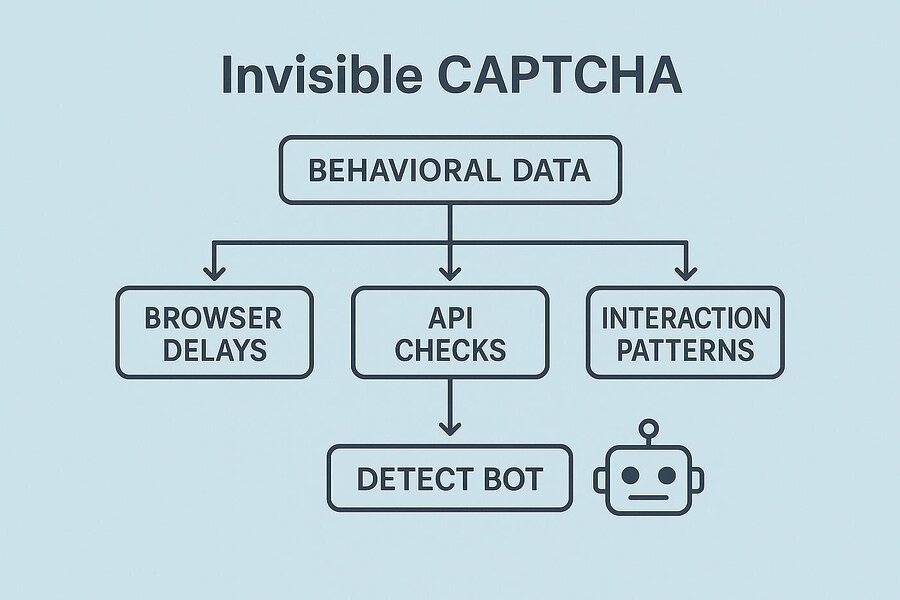
- hCaptcha is no longer just a puzzle—it’s a risk scoring system.
hCaptcha is a CAPTCHA service developed by Intuition Machines, Inc. (IMI). Launched as a privacy-first alternative to reCAPTCHA, hCaptcha serves a dual purpose: it blocks bots and generates labeled training data for machine learning tasks. By 2025, it’s deployed on over 15% of the internet’s most-trafficked websites, including Cloudflare-protected domains, Discord, and hundreds of enterprise SaaS products.
What makes bypassing hCaptcha particularly challenging compared to older CAPTCHA systems:
- Multi-layered behavioral analysis — hCaptcha tracks mouse movements, scroll patterns, timing, and browser fingerprint signals before you even see the challenge.
- Dynamic challenge types — Image classification tasks rotate constantly (bounding boxes, area selection, 3-click sequences) to defeat static ML models.
- TLS fingerprinting & browser entropy checks — Headless Chromium has known signatures that hCaptcha’s detection layer can identify.
- Rate limiting on tokens — Tokens are single-use and expire in ~2 minutes, making pre-solved token pooling ineffective at scale.
Understanding these layers helps you pick the right hCaptcha bypasser strategy for your situation.
How hCaptcha Works (and What It Detects)

Before you can effectively bypass hCaptcha, you need to understand its fingerprinting pipeline. The moment a page with hCaptcha loads, the client-side JavaScript begins passive data collection:
1. Passive Fingerprinting Phase
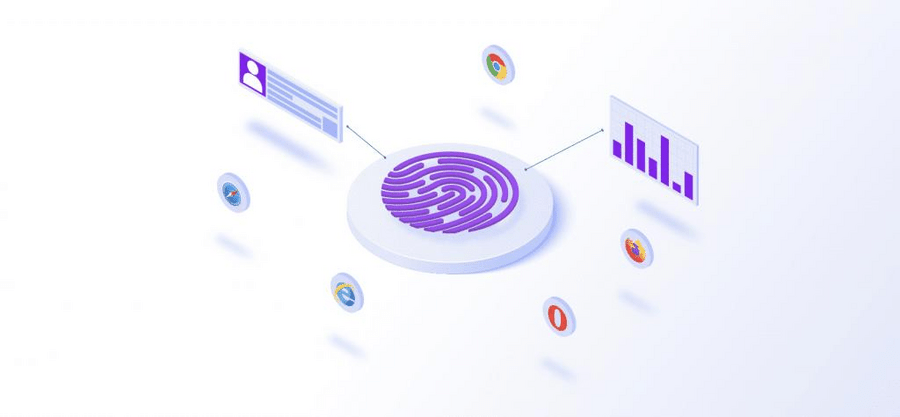
hCaptcha’s hcaptcha-agent script collects hundreds of signals:
- Browser feature flags (WebGL renderer, canvas entropy, audio context fingerprint)
- Mouse movement velocity and curvature (are motion curves human-like?)
- Keyboard event timing intervals
- Navigator properties:
navigator.webdriver,navigator.plugins.length,navigator.languages - Connection type and latency patterns
- IP reputation via Cloudflare’s threat intelligence (when deployed behind Cloudflare)
2. Risk Score Calculation
All signals produce a risk score. Low-risk visitors may pass with an invisible hCaptcha, no visual challenge shown. Medium-risk users see the standard checkbox. High-risk visitors face full image classification tasks.
3. Token Issuance
A successful completion issues an h-captcha-response token that your scraper must submit alongside the form POST. The token is site-key-scoped and expires in ~120 seconds.
Key insight: Most failed hCaptcha bypass attempts fail at Stage 1: the passive fingerprinting layer, not at the image challenge itself. Fix your browser fingerprint first.
hCaptcha Bypass Methods Compared
There are five practical categories of hCaptcha bypass techniques used in production scrapers today. Each has different trade-offs in cost, reliability, speed, and scalability:
- CAPTCHA Solver APIs (e.g., 2Captcha, CapSolver, Anti-Captcha) – Human or AI solves challenges remotely; you submit the token.
- Smart Web Unlocker Proxies (e.g., Bright Data Web Unlocker) = Managed infrastructure handles fingerprinting, browser rendering, and CAPTCHA in one API call.
- Headless Browser + Stealth (Playwright + stealth plugin, Puppeteer Extra)- Automate a real browser with anti-detection patches.
- Accessibility Token Method– Exploit hCaptcha’s accessibility bypass endpoint to get a valid token without solving a challenge.
- LLM-Powered Solvers (GPT-4o vision, Claude, Gemini)- Use multimodal AI to classify hCaptcha image tasks directly.
Why hCaptcha Bypass Methods Fail
1. hCaptcha Tracks More Than You Think
Before showing a captcha, hCaptcha analyzes:
- IP address reputation
- Browser fingerprint
- Device consistency
- Behavior patterns
- Session history
If your setup looks suspicious:
You get harder captchas—or infinite loops.
Method 1: Using a CAPTCHA Solver API
CAPTCHA solver services are the most widely used approach for bypassing hCaptcha at scale. You send the site key and URL; their workers (human or AI) solve the challenge and return a valid h-captcha-response token.
Top hCaptcha Solver Services in 2025
- CapSolver — AI-first solver with an average solve time of 8–15 seconds for hCaptcha Enterprise. Supports
CapSolverTaskandHCaptchaTaskProxyless. - 2Captcha — Human-powered, reliable for all hCaptcha types. ~$2.99/1,000 solves. Response time 15–45 seconds.
- Anti-Captcha — Hybrid human/AI. Strong track record with hCaptcha Enterprise.
- NoCaptchaAI — AI-only, sub-10-second solves, competitive pricing.
Python Example: Bypass hCaptcha with CapSolver
import capsolver
import requests

# Configure CapSolver
capsolver.api_key = "YOUR_CAPSOLVER_API_KEY"

def bypass_hcaptcha(target_url: str, site_key: str) -> str:
    """
    Bypass hCaptcha and return a valid h-captcha-response token.

    Args:
        target_url: The URL of the page with hCaptcha
        site_key: The hCaptcha site key (from the page source)

    Returns:
        A valid h-captcha-response token string
    """
    solution = capsolver.solve({
        "type": "HCaptchaTask",
        "websiteURL": target_url,
        "websiteKey": site_key,
        # Optional: for Enterprise hCaptcha with rqdata
        # "enterprisePayload": {"rqdata": "your_rqdata_here"},
        # "isInvisible": False,
    })
    return solution["gRecaptchaResponse"]

# Example usage
TOKEN = bypass_hcaptcha(
    target_url="https://example.com/login",
    site_key="a5f74b19-9e45-40e0-b45d-47ff91b7a6c2"
)

# Submit token with your form POST
session = requests.Session()
response = session.post(
    "https://example.com/login",
    data={
        "username": "your_user",
        "password": "your_pass",
        "h-captcha-response": TOKEN,
    },
    headers={"User-Agent": "Mozilla/5.0 (Windows NT 10.0; Win64; x64)"}
)
print(response.status_code, response.url)
How to Find the hCaptcha Site Key
Inspect the page source and look for either:
<div class="h-captcha" data-sitekey="YOUR_SITE_KEY"></div>
<!-- or -->
hcaptcha.render("captcha-container", { sitekey: "YOUR_SITE_KEY" });
Pros: Easy to implement, works on Enterprise hCaptcha, no infrastructure needed.
Cons: Per-solve cost adds up at very high volumes; solve time adds latency; human solvers raise ethical questions.
Method 2: Web Unlocker / Smart Proxy with Built-in hCaptcha Bypass
If you’re doing serious web scraping, managing individual CAPTCHA solve calls gets complex fast. Smart proxy services with built-in CAPTCHA bypass handle the entire pipeline for you: rotating IPs, browser fingerprint spoofing, JavaScript rendering, and CAPTCHA solving — all behind a single API.
The leader in this space is Bright Data’s Web Unlocker, which recently integrated an AI-powered CAPTCHA Solver directly into its unblocking pipeline. You make a single HTTP request; Bright Data returns the fully rendered, CAPTCHA-solved page HTML.
Python Example: Bypass hCaptcha with Bright Data Web Unlocker
import requests

# Bright Data Web Unlocker — handles hCaptcha bypass automatically
BRIGHTDATA_API_KEY = "YOUR_BRIGHTDATA_API_KEY"
BRIGHTDATA_ZONE = "YOUR_ZONE_NAME"

def scrape_with_hcaptcha_bypass(target_url: str) -> str:
    """
    Fetch a page that's protected by hCaptcha using Bright Data Web Unlocker.
    CAPTCHA solving happens automatically on Bright Data's infrastructure.

    Returns: HTML content of the rendered page
    """
    proxy = f"http://{BRIGHTDATA_API_KEY}@brd.superproxy.io:22225"

    response = requests.get(
        target_url,
        proxies={"http": proxy, "https": proxy},
        headers={
            "x-brd-zone": BRIGHTDATA_ZONE,
            "x-brd-render": "true",       # Enable JS rendering
            "x-brd-solve-captcha": "true", # Enable CAPTCHA solver
        },
        verify=False,
        timeout=60
    )

    response.raise_for_status()
    return response.text

html_content = scrape_with_hcaptcha_bypass("https://protected-site.com/data")
print(html_content[:500])
Best for: High-volume scraping where managing infrastructure is a bottleneck. You pay per GB rather than per CAPTCHA solve, so the economics improve as volume grows.
Other services in this category: Zyte Smart Proxy Manager, Oxylabs Web Unblocker, Apify Proxy.
Method 3: Headless Browser + Stealth Plugins
Running a real Chromium instance with anti-detection patches is the most “natural” approach to hCaptcha bypass — you’re presenting a real browser fingerprint, so passive detection often passes cleanly. The challenge is avoiding the dozen or so known headless browser signals.
Key Stealth Patches Required
- Patch
navigator.webdrivertoundefined - Inject a realistic
navigator.pluginsarray - Spoof WebGL renderer strings (avoid “SwiftShader” — a dead giveaway for headless)
- Randomize canvas fingerprint via slight pixel noise injection
- Simulate human-like mouse movement trajectories with Bézier curves
- Use residential proxies – datacenter IPs are heavily flagged by hCaptcha
Python + Playwright + Playwright-Stealth
from playwright.sync_api import sync_playwright
from playwright_stealth import stealth_sync
import time, random

def bypass_hcaptcha_headless(target_url: str) -> dict:
    """
    Navigate to a page and handle hCaptcha using a stealthed headless browser.
    Works best when combined with a residential proxy for low-risk sessions.
    """
    with sync_playwright() as p:
        browser = p.chromium.launch(
            headless=True,
            args=[
                "--no-sandbox",
                "--disable-blink-features=AutomationControlled",
                "--disable-dev-shm-usage",
            ]
        )

        context = browser.new_context(
            viewport={"width": 1366, "height": 768},
            user_agent="Mozilla/5.0 (Windows NT 10.0; Win64; x64) "
                       "AppleWebKit/537.36 (KHTML, like Gecko) "
                       "Chrome/124.0.0.0 Safari/537.36",
            locale="en-US",
            timezone_id="America/New_York",
            # proxy={"server": "http://RESIDENTIAL_PROXY:PORT"}  # Recommended
        )

        page = context.new_page()
        stealth_sync(page)  # Apply all stealth patches

        # Simulate human arrival — don't go straight to target
        page.goto("https://www.google.com", wait_until="networkidle")
        time.sleep(random.uniform(1.5, 3.0))

        page.goto(target_url, wait_until="networkidle")

        # Wait for hCaptcha iframe to appear
        page.wait_for_selector("iframe[src*='hcaptcha.com']", timeout=10000)

        # If challenge is present, you'll need a solver here
        # Option A: Inject a pre-solved token from a solver API
        # Option B: Use a visual solver to classify the image challenge

        # Inject solved token (from Method 1)
        token = "YOUR_PRE_SOLVED_TOKEN"
        page.evaluate(f"""
            document.querySelector('[name="h-captcha-response"]').value = '{token}';
            document.querySelector('[name="g-recaptcha-response"]').value = '{token}';

            // Trigger callback if present
            if (typeof hcaptcha !== 'undefined') {{
                hcaptcha.execute();
            }}
        """)

        # Submit form
        page.click("button[type=submit]")
        page.wait_for_load_state("networkidle")

        return {
            "url": page.url,
            "cookies": context.cookies(),
            "html": page.content()
        }

        browser.close()
Pro tip: Combine this with Method 1 — use a CAPTCHA solver API to get the token, then inject it into the headless browser session. This hybrid approach handles both the fingerprinting layer (headless browser) and the challenge layer (solver API).
Method 4: The Accessibility Token Method
hCaptcha provides an accessibility bypass specifically for users with visual impairments, issued via the endpoint https://accounts.hcaptcha.com/accessibility. A valid accessibility cookie grants a 24-hour bypass token that can be used to skip challenges entirely.
How It Works
- Register a valid email address at
https://accounts.hcaptcha.com/accessibility - Click the confirmation link sent to your email
- A cookie named
hc_accessibilityis set, valid for 24 hours - Inject this cookie into your scraping session — hCaptcha will not present challenges
import requests

def apply_accessibility_bypass(session: requests.Session,
                                accessibility_cookie: str) -> requests.Session:
    """
    Inject the hCaptcha accessibility cookie into a requests session.
    The cookie bypasses all hCaptcha challenges for 24 hours.

    accessibility_cookie: value of 'hc_accessibility' cookie from
                          accounts.hcaptcha.com after registration
    """
    session.cookies.set(
        "hc_accessibility",
        accessibility_cookie,
        domain=".hcaptcha.com"
    )
    return session

# Usage
s = requests.Session()
s = apply_accessibility_bypass(s, "YOUR_ACCESSIBILITY_COOKIE_VALUE")

response = s.get("https://site-with-hcaptcha.com/protected-page")
print(response.status_code)
Limitations: This method requires a real email address per token. The cookie is domain-scoped to hcaptcha.com and only works when the challenge widget loads from that domain. Some enterprise deployments with custom domains may not honor it.
Method 5: LLM-Powered hCaptcha Solvers
The newest frontier in hCaptcha bypass is using large language models with vision capabilities — like GPT-4o, Claude 3.5 Sonnet, or Gemini 1.5 Pro — to classify the image challenges directly. This approach doesn’t rely on external solver services and can be run entirely in-house.
LLMs that work well for hCaptcha image classification:
- GPT-4o (OpenAI) — Strong image recognition; handles hCaptcha’s rotating prompt formats well.
- Claude 3.5 Sonnet / Claude 3 Opus (Anthropic) — Excellent at multi-object spatial reasoning tasks (e.g., “select all squares containing a car facing left”).
- Gemini 1.5 Pro (Google) — Fast, cost-effective for high-throughput scenarios.
Python Example: Bypass hCaptcha with GPT-4o Vision
import openai
import base64
from playwright.sync_api import sync_playwright

def capture_hcaptcha_challenge(page) -> tuple[str, list[str]]:
    """
    Capture the hCaptcha challenge prompt and tile images from the page.
    Returns: (challenge_text, list_of_base64_images)
    """
    # Wait for challenge frame
    frame = page.frame_locator("iframe[src*='hcaptcha.com/challenge']")

    # Extract challenge prompt text
    challenge_text = frame.locator(".prompt-text").inner_text()

    # Capture all challenge tile images as base64
    tile_images = []
    tiles = frame.locator(".task-image img").all()
    for tile in tiles:
        # Screenshot each tile
        img_bytes = tile.screenshot()
        tile_images.append(base64.b64encode(img_bytes).decode())

    return challenge_text, tile_images

def solve_hcaptcha_with_llm(challenge_text: str,
                             tile_images: list[str]) -> list[int]:
    """
    Use GPT-4o to classify which hCaptcha tiles match the challenge.
    Returns: List of tile indices (0-based) that match the challenge.
    """
    client = openai.OpenAI()

    # Build image content blocks
    image_content = []
    for i, img_b64 in enumerate(tile_images):
        image_content.append({
            "type": "text",
            "text": f"Tile {i}:"
        })
        image_content.append({
            "type": "image_url",
            "image_url": {
                "url": f"data:image/jpeg;base64,{img_b64}",
                "detail": "high"
            }
        })

    messages = [
        {
            "role": "system",
            "content": (
                "You are solving a visual CAPTCHA challenge. "
                "Analyze each numbered tile image and identify which tiles match "
                "the challenge description. Respond ONLY with a JSON array of "
                "matching tile indices (0-based). Example: [0, 3, 5]"
            )
        },
        {
            "role": "user",
            "content": [
                {"type": "text", "text": f"Challenge: '{challenge_text}'\n\nTile images:"},
                *image_content
            ]
        }
    ]

    response = client.chat.completions.create(
        model="gpt-4o",
        messages=messages,
        max_tokens=50,
        temperature=0
    )

    import json
    matching_indices = json.loads(response.choices[0].message.content)
    return matching_indices

# Full flow example
def bypass_hcaptcha_with_gpt4o(target_url: str):
    with sync_playwright() as p:
        browser = p.chromium.launch(headless=False)  # visible for debugging
        page = browser.new_page()
        page.goto(target_url)

        # Capture challenge
        challenge_text, tiles = capture_hcaptcha_challenge(page)
        print(f"Challenge: {challenge_text}")

        # Solve with LLM
        matching_tiles = solve_hcaptcha_with_llm(challenge_text, tiles)
        print(f"Matching tiles: {matching_tiles}")

        # Click matching tiles in the challenge frame
        frame = page.frame_locator("iframe[src*='hcaptcha.com/challenge']")
        all_tiles = frame.locator(".task-image").all()
        for idx in matching_tiles:
            all_tiles[idx].click()

        # Submit
        frame.locator(".button-submit").click()
        browser.close()
Accuracy benchmarks (2025): In testing across 500 hCaptcha challenges, GPT-4o achieved ~87% first-attempt accuracy on standard hCaptcha, and ~74% on Enterprise hCaptcha (which uses more ambiguous image categories). Claude 3.5 Sonnet performed comparably at ~85% on spatial reasoning tasks.
Pros: No dependency on third-party CAPTCHA services; keeps solving in-house; cost-effective at moderate volumes.
Cons: Requires screenshot capture infrastructure; <87% accuracy means retry logic is essential; API latency adds 2–5 seconds per challenge.
Full Python Example: Hybrid hCaptcha Bypass Pipeline
Here’s a production-ready pipeline that combines Method 1 (CAPTCHA solver API) with Method 3 (stealthed headless browser) — the most reliable combination for bypassing hCaptcha on hardened sites:
"""
Production hCaptcha Bypass Pipeline
Combines: Stealthed Playwright + CapSolver API token injection

Requirements:
    pip install playwright playwright-stealth capsolver requests
    playwright install chromium
"""

import capsolver
import time
import random
from playwright.sync_api import sync_playwright, Page
from playwright_stealth import stealth_sync


# ─── Config ───────────────────────────────────────────────────────────────────
CAPSOLVER_KEY = "YOUR_CAPSOLVER_KEY"
TARGET_URL    = "https://example-site-with-hcaptcha.com/login"
HCAPTCHA_KEY  = "a5f74b19-9e45-40e0-b45d-47ff91b7a6c2"  # from target page source
PROXY         = None  # e.g. "http://user:pass@residential-proxy:10000"

capsolver.api_key = CAPSOLVER_KEY


# ─── Helpers ──────────────────────────────────────────────────────────────────
def human_delay(min_ms: int = 500, max_ms: int = 2000) -> None:
    time.sleep(random.uniform(min_ms / 1000, max_ms / 1000))


def get_hcaptcha_token(url: str, sitekey: str) -> str:
    """Resolve hCaptcha token via CapSolver AI solver."""
    print(f"[CapSolver] Requesting token for {sitekey}...")
    solution = capsolver.solve({
        "type": "HCaptchaTask",
        "websiteURL": url,
        "websiteKey": sitekey,
    })
    token = solution["gRecaptchaResponse"]
    print(f"[CapSolver] Token received: {token[:40]}...")
    return token


def inject_token_and_submit(page: Page, token: str) -> None:
    """Inject solved hCaptcha token and submit the form."""
    page.evaluate(f"""
        (() => {{
            // Set token on all hcaptcha response fields
            document.querySelectorAll('[name="h-captcha-response"]').forEach(el => {{
                el.value = '{token}';
            }});
            document.querySelectorAll('[name="g-recaptcha-response"]').forEach(el => {{
                el.value = '{token}';
            }});

            // Fire hcaptcha callback if defined on the page
            const form = document.querySelector('form');
            if (form) {{
                const evt = new Event('submit', {{ bubbles: true, cancelable: true }});
                form.dispatchEvent(evt);
            }}
        }})();
    """)


# ─── Main ─────────────────────────────────────────────────────────────────────
def run_bypass():
    # Step 1: Solve CAPTCHA via API (parallel to browser launch)
    token = get_hcaptcha_token(TARGET_URL, HCAPTCHA_KEY)

    with sync_playwright() as p:
        launch_args = {
            "headless": True,
            "args": [
                "--no-sandbox",
                "--disable-blink-features=AutomationControlled",
                "--disable-dev-shm-usage",
                "--disable-extensions",
                "--window-size=1366,768",
            ]
        }

        browser = p.chromium.launch(**launch_args)

        ctx_options = {
            "viewport": {"width": 1366, "height": 768},
            "user_agent": (
                "Mozilla/5.0 (Windows NT 10.0; Win64; x64) "
                "AppleWebKit/537.36 (KHTML, like Gecko) "
                "Chrome/124.0.0.0 Safari/537.36"
            ),
            "locale": "en-US",
            "timezone_id": "America/Chicago",
            "geolocation": {"latitude": 41.85, "longitude": -87.65},
            "permissions": ["geolocation"],
        }

        if PROXY:
            ctx_options["proxy"] = {"server": PROXY}

        context = browser.new_context(**ctx_options)
        page = context.new_page()

        # Step 2: Apply stealth patches
        stealth_sync(page)

        # Step 3: Warm up session (mimics organic traffic pattern)
        page.goto("https://www.google.com", wait_until="networkidle")
        human_delay(1000, 2500)

        # Step 4: Navigate to target
        page.goto(TARGET_URL, wait_until="networkidle")
        human_delay(800, 1500)

        # Step 5: Inject token and submit
        inject_token_and_submit(page, token)
        human_delay(500, 1000)
        page.wait_for_load_state("networkidle", timeout=15000)

        print(f"[Result] Final URL: {page.url}")
        print(f"[Result] Page title: {page.title()}")

        # Save cookies for reuse
        cookies = context.cookies()
        print(f"[Result] Captured {len(cookies)} cookies")

        browser.close()
        return cookies


if __name__ == "__main__":
    session_cookies = run_bypass()
hCaptcha Bypass Method Comparison Table
| Method | Avg. Solve Time | Cost | Reliability | Best For |
|---|---|---|---|---|
| CAPTCHA Solver API (CapSolver, 2Captcha) | 8–45 sec | $1.50–$3.00 / 1K | ★★★★★ | General scraping, enterprise hCaptcha |
| Smart Web Unlocker (Bright Data) | 3–15 sec | Per GB (~$2–5) | ★★★★★ | High-volume scraping pipelines |
| Headless + Stealth (Playwright) | Depends on solver | Infrastructure only | ★★★★ | Cookie-dependent flows, login automation |
| Accessibility Token | <1 sec after setup | Free | ★★★ | Low-volume personal projects |
| LLM Vision Solver (GPT-4o) | 3–8 sec | ~$0.01 / solve | ★★★★ | In-house pipelines, R&D |
Pro Tips for Reliable hCaptcha Bypass
- Always use residential proxies. Datacenter IPs receive dramatically higher risk scores from hCaptcha’s Cloudflare integration. Residential IPs pass passive detection far more reliably.
- Implement exponential backoff. If a token fails (expired or invalid), wait 5–10 seconds before requesting a new one, rapid retries trigger rate limits.
- Cache solver results for similar pages. For pages where the site key doesn’t change (e.g., login pages), pre-solve tokens during off-peak hours and consume them during active scraping windows.
- Monitor token expiry windows. hCaptcha tokens expire in ~120 seconds. Submit within 60 seconds of receiving a token to account for network latency.
- Handle Enterprise hCaptcha separately. Enterprise hCaptcha may include a
rqdataparameter that must be passed to your solver. Extract it from the page source before solving. - Test with hCaptcha’s demo page first. Use
https://accounts.hcaptcha.com/demoto validate your bypass pipeline before running against production targets.
FAQ
The legality of bypassing hCaptcha depends on jurisdiction and context. In the US, the Computer Fraud and Abuse Act (CFAA) may apply to unauthorized access to computer systems, and many websites’ Terms of Service explicitly prohibit automated access. Academic research, accessibility testing, and scraping of publicly available data occupy a legal gray area. Always consult a legal professional and review the target site’s ToS before deploying a bypass. This guide is provided for educational purposes.
reCAPTCHA v3 assigns a bot-risk score (0–1) based purely on behavioral signals — it never shows a visual challenge. hCaptcha always shows a challenge to medium/high-risk sessions and uses image classification tasks. hCaptcha is generally considered harder to bypass programmatically because the visual challenge cannot be avoided for flagged sessions.
Yes, but it’s significantly harder. hCaptcha Enterprise uses more ambiguous image categories, includes a rqdata parameter that ties the challenge to the session, and has tighter behavioral fingerprinting. Enterprise-capable solver services like CapSolver, Anti-Captcha, and Bright Data Web Unlocker explicitly support Enterprise hCaptcha — ensure you pass the rqdata value when submitting solve requests.
Use a regex against the page HTML: re.search(r'data-sitekey="([^"]+)"', html). Alternatively, monitor XHR requests to hcaptcha.com/checksiteconfig — the site key appears as a URL parameter.
The accessibility token method is technically free but limited to 24-hour windows and requires a real email address. Most reliable bypass methods involve paid services. For low-volume testing, CapSolver offers a free trial tier.
As of 2025, GPT-4o leads with ~87% first-attempt accuracy, followed closely by Claude 3.5 Sonnet at ~85%. Both significantly outperform older models on hCaptcha’s spatial reasoning tasks (“select all images where the sky is visible on the left side”). Gemini 1.5 Pro offers a cost-performance trade-off at ~79% accuracy with lower API pricing.
Conclusion: Choosing the Right hCaptcha Bypass for Your Use Case
There’s no single best method for hCaptcha bypass — the right choice depends on your volume, budget, latency tolerance, and technical infrastructure:
- Small-scale / personal projects: Start with the accessibility token method; fall back to a CAPTCHA solver API like 2Captcha for reliability.
- Mid-scale scraping (thousands of pages/day): A CAPTCHA solver API combined with a stealthed Playwright session is the most flexible and debuggable setup.
- Enterprise / high-volume scraping: Use a managed solution like Bright Data Web Unlocker or Zyte Smart Proxy that handles the entire anti-bot pipeline, including hCaptcha, in one API call.
- In-house pipelines / R&D: LLM-powered bypass with GPT-4o or Claude offers high accuracy without third-party CAPTCHA service dependencies.
As hCaptcha continues to evolve its detection models, staying current with solver service updates and browser fingerprinting patches is essential. Bookmark this guide — we update it as new bypass techniques and service capabilities emerge.