What Is Datacenter Proxy and How Does It Work?
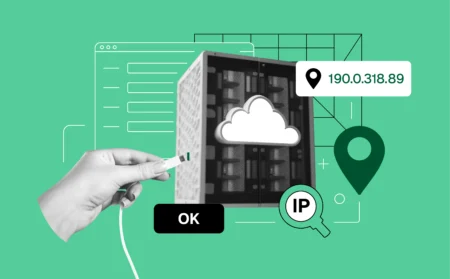
What is datacenter proxy and how does it work when sites start blocking you out of nowhere? A datacenter proxy is an IP address created in a data center, not tied to a real home or mobile device. It looks fast and clean on paper, but it doesn’t look human. That difference matters. If you’ve been banned, rate-limited, or hit with captchas after a few actions, this is usually why. Websites see traffic coming from servers instead of people and react fast. A datacenter proxy works by routing your requests through cloud infrastructure, giving you a new IP without changing your real location or device. It’s cheap and quick to deploy, but it trades realism for speed. Understanding that trade-off is the key to knowing when a datacenter proxy helps—and when it quietly causes the problem you’re trying to fix.
What Is Datacenter Proxy and What are Its Main Features?
A datacenter proxy comes from cloud servers, not real homes or phones. That single detail explains both its strength and its weakness. When traffic hits a site from a datacenter proxy, it moves fast and looks organized. Requests load quickly. Pages respond without delay. But the moment a platform cares about who is behind the connection, things change.
If you’ve been banned after creating accounts, scraping pages, or running repeated actions, this is usually where it starts. Datacenter proxies reuse IP ranges owned by hosting providers. Websites know these ranges well. Once activity crosses a line, blocks come fast.
Here’s what defines a datacenter proxy in practice:
- Server-based IPs: These IPs live in data centers like AWS or other cloud providers. They don’t belong to real users, and platforms can spot that instantly.
- High speed and low cost: Datacenter proxies are cheap and fast. That’s why they’re often used for bulk tasks, testing, or short-lived automation before bans appear.
- Shared or dedicated options: Some IPs are shared across many users, which increases risk. Dedicated ones last longer but still carry the same server footprint.
- Easy rotation: When one IP gets blocked, you can switch fast. That helps for volume work, but it doesn’t fix detection patterns.
- Low trust score on protected platforms: Ticketing sites, social networks, and marketplaces don’t treat datacenter traffic kindly. If your accounts keep getting flagged early, this is often the reason.
A datacenter proxy isn’t “bad.” It’s just honest about what it is. If speed matters more than survival, it works. If you’re trying to keep accounts alive, avoid repeat bans, or look like a real user, this is where the limits show up fast.
How Datacenter Proxies Actually Work Behind the Scenes
When you use a datacenter proxy, your traffic doesn’t pass through a real person’s internet connection or a physical device sitting in someone’s home. Instead, every request is routed through cloud servers owned by hosting providers, which means your activity enters the website from infrastructure designed for machines, not everyday users.
This setup explains why datacenter proxies feel fast from the start. Cloud networks are built to handle large volumes of traffic, so pages load quickly and requests move without friction. The problem begins when those same IPs are reused over and over again. Once one user pushes too hard, triggers limits, or gets flagged, the reputation of that IP changes, and anyone who touches it next inherits the consequences.
That’s also where trust drops. Websites don’t judge IPs in isolation. They compare the connection with browser behavior. If the IP looks like a server but the browser behaves like a normal user, the signals don’t line up. Rotating to a new IP doesn’t change that outcome, because your browser fingerprint stays the same. If you keep getting blocked even after switching proxies, this mismatch is usually the reason.
Why Datacenter Proxies Get Detected So Easily

Datacenter proxies fail because platforms already know how to recognize them, long before any serious activity starts. Detection doesn’t rely on one signal. It’s the combination that gives them away.
- Known IP ranges: Cloud provider IP blocks are public and heavily monitored, which means datacenter traffic starts with a lower trust score.
- Reused infrastructure: The same servers and IPs are shared by many users, so one aggressive session can affect everyone who comes after.
- IP and browser mismatch: A server-based IP paired with a normal-looking browser creates an identity conflict that platforms notice quickly.
- Early captchas and blocks: Once these signals line up, restrictions appear fast, often before any meaningful action is completed.
You can verify this yourself by checking your connection on Pixelscan, where datacenter IP ranges, server flags, and IP–browser mismatches often show up immediately—long before any real activity even starts.
Datacenter Proxy vs Residential Proxy: The Real Difference
The difference isn’t technical. It’s behavioral. Platforms respond to where traffic comes from, not how fast it moves.
- Origin: Datacenter proxies come from servers, while residential proxies come from real homes and devices.
- Speed vs credibility: Datacenter proxies load faster, but residential proxies look more believable to protected platforms.
- Cost vs longevity: Datacenter proxies are cheaper but burn quickly, while residential proxies cost more and survive longer.
- Platform tolerance: High-risk platforms tolerate residential traffic far more than server-based connections.
When Datacenter Proxies Still Make Sense
Datacenter proxies aren’t useless, and they aren’t always the wrong choice. They simply fit a narrower set of use cases.
They work well for bulk data pulls where blocks don’t cause damage, internal testing where realism isn’t required, or short-lived tasks where speed matters more than continuity. If you need to spin something up, check results, and move on, datacenter proxies do the job efficiently.
They also make sense in situations where bans don’t carry consequences. When there are no accounts to protect and no long-term sessions to preserve, the trade-off becomes acceptable.
When Datacenter Proxies Will Get You Banned Fast
If you keep losing accounts, this is usually where the problem starts.
Account creation is one of the first danger zones, because platforms closely monitor server-based traffic signing up at scale. Logins increase the risk even more, especially when repeated access comes from known datacenter IPs.
Ticketing platforms are particularly unforgiving, since they expect real users and consistent behavior. Social networks and marketplaces follow the same pattern. They track history, behavior, and session stability, and datacenter proxies fail on all three. When bans feel instant and unexplained, the proxy choice is often the root cause.
Common Mistakes People Make With Datacenter Proxies
Most bans don’t come from one big mistake. They come from small assumptions that don’t hold up in practice.
- Relying on rotation alone: Changing IPs doesn’t reset browser identity or behavioral signals.
- Running multiple accounts on one proxy: Risk compounds fast when accounts share the same connection.
- Ignoring browser fingerprints: IPs are only one part of how platforms track users.
- Using datacenter proxies on protected platforms: Some sites simply don’t allow server-based traffic, no matter how carefully it’s set up.
Is Datacenter Proxy the Right Choice for You?
The decision starts with one honest question: what are you trying to protect?
If speed is your priority and bans don’t cost you anything, datacenter proxies can work without frustration. They’re fast, inexpensive, and easy to cycle. If survival matters, speed becomes secondary. Proxies alone won’t fix bans, because they don’t reset browser identity or create trust by themselves.
Once you understand what a datacenter proxy can and cannot do, the choice stops being confusing. Use it where it fits, and avoid it where the cost of failure is too high.
FAQ
It’s commonly used for short-term tasks like bulk data collection, testing scripts, or checking how sites respond from different locations, where speed matters more than credibility.
Because they come from known cloud servers and shared infrastructure, platforms can recognize them quickly and assign lower trust from the start.
Rotation can delay blocks, but it doesn’t fix the underlying signals. If the browser identity and behavior stay the same, detection usually catches up.
In most cases, no. Protected platforms expect traffic that looks like it comes from real users, and server-based connections tend to raise flags early.
Conclusion
A datacenter proxy is fast, cheap, and easy to spin up, but those strengths come with clear limits. Platforms don’t struggle to understand where this traffic comes from, and once they do, trust drops quickly. If speed is your only goal and bans don’t cost you anything, it can still get the job done. But if accounts, sessions, or long-term access matter, this setup often becomes the reason problems keep repeating. Knowing what is datacenter proxy really about helps you choose it intentionally, instead of discovering its limits after another block.