Is it possible to delete just your Threads account? 2026 guide
When Threads first dropped, the answer to the one question everyone had—”Can I delete this app without losing my Instagram account?”—was a hard, frustrating NO. Meta tied the two accounts together, forcing you to choose between keeping your main profile and ditching the new toy. It was a bad move.
But things changed. Meta got hit with massive user backlash and finally decoupled the accounts.
So, here is the direct answer you need: YES, you can now delete your Threads account completely without affecting your Instagram profile, your followers, or your content there.
This is your straightforward guide to making a clean break. We’ll cover the exact steps, the crucial difference between a pause and a permanent exit, and the fine print Meta doesn’t always make clear.
First decision: Pause or pull the plug?
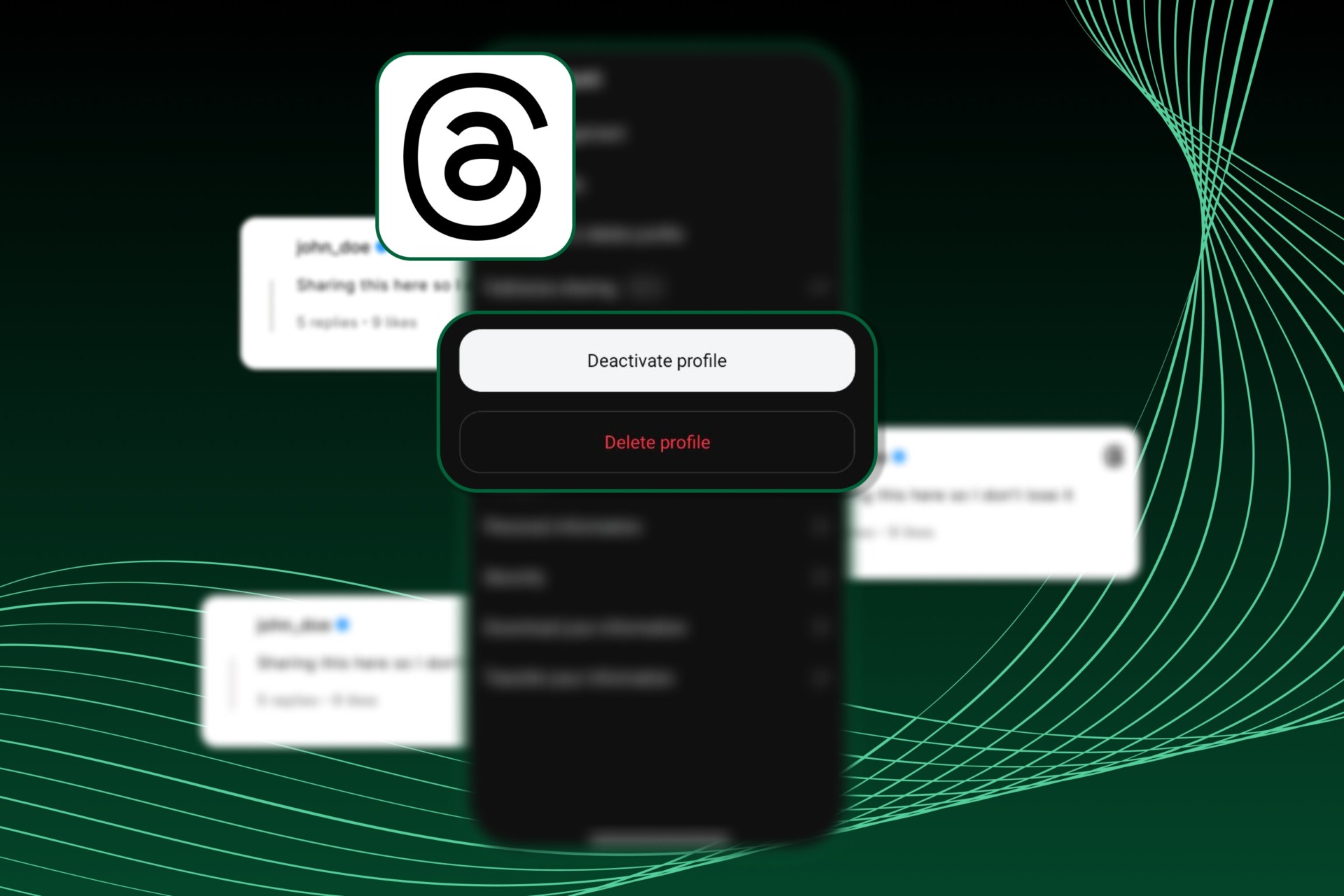
Before you start the process, figure out what you actually want. Most people just need a break, not a permanent exit. That’s the difference between Deactivation and Deletion.
| Action | What It does | The honest take |
| Deactivation | Hides your profile, all your posts, and all your activity from everyone. It’s a temporary invisibility cloak. | Choose this if you might come back. All your data is saved. You can reactivate instantly just by logging back in. You can do this once a week. |
| Deletion | Permanently removes your profile, all your content, your likes, and your followers. | Choose this only if you are 100% done. This is a final, irreversible action after a short grace period. |
The takeaway: If you’re unsure, Deactivation is the smart move. It saves your spot.
If your ad campaigns suddenly stopped, check our guide on how to recover your disabled Instagram ad account.
The pre-delete checklist: Don’t skip this
You’re ready to delete. Great. But before you do, take two minutes to handle these practical steps.
1. Download your data. Seriously.
Once you delete, your content is gone forever. If you posted anything you want to keep—photos, long-form thoughts, whatever—you need to download it first.
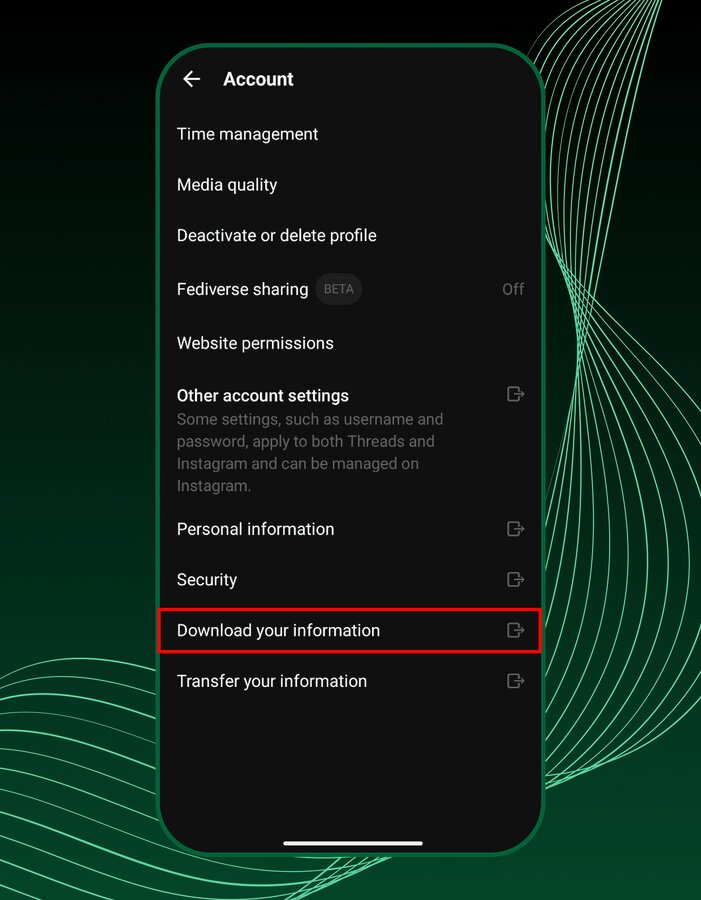
Go into your Threads Settings, find the Account section, and look for the option to Download Your Information. Request the file. Meta will package up your data and send you a link. Do this before you request deletion. If you don’t, you lose it.
2. Check your Instagram link
We already established that deleting Threads will not hurt your Instagram account. Your followers, DMs, and photos on Instagram are safe.
The only way your Instagram is affected is if you delete your Instagram account first. If you delete Instagram, your linked Threads profile goes with it. Since you’re only here to delete Threads, you’re good to go.
The step-by-step guide to deletion
The process is identical whether you use the mobile app or the website. It takes about five clicks.
On the Threads app (iOS and Android)
- Go to your Profile. Tap the small profile icon in the bottom right corner.
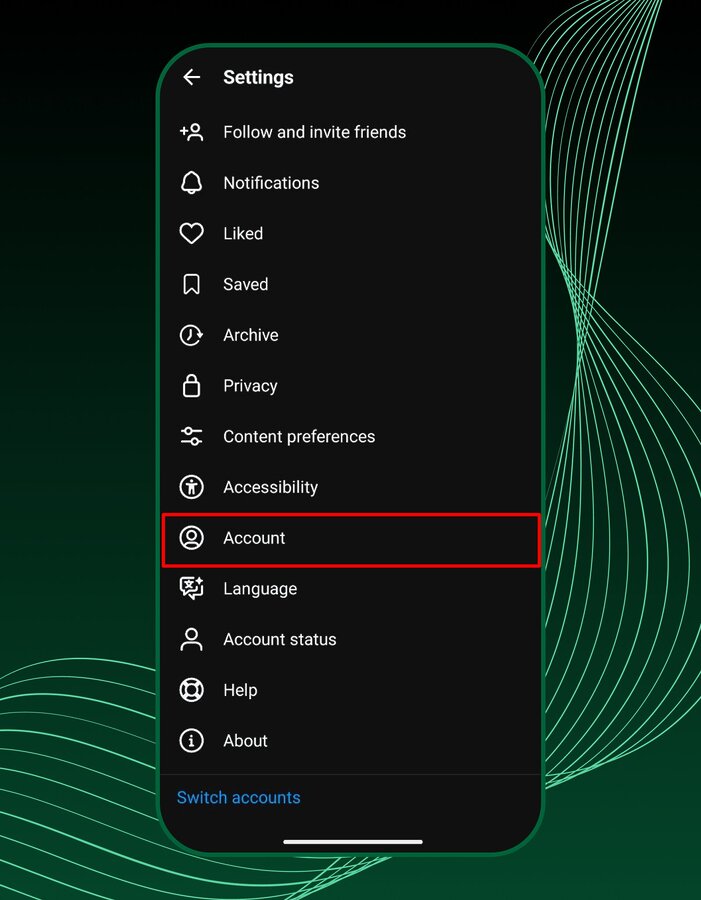
- Open Settings. Tap the two horizontal lines icon in the top right corner.
- Find an Account. Tap Account.
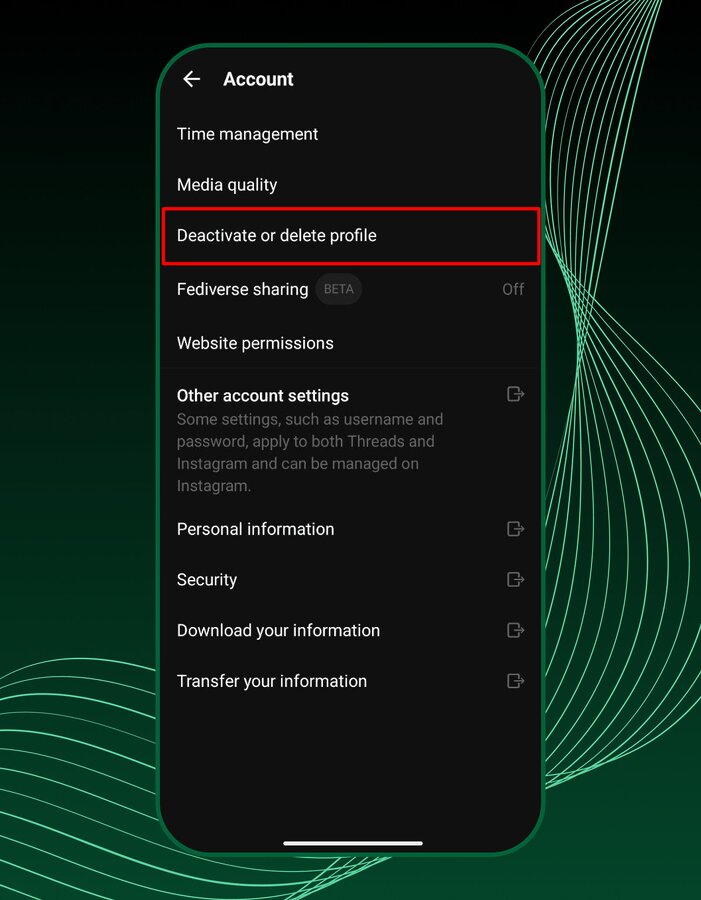
- Choose the exit. Tap Deactivate or delete profile.
- Select Delete. Choose the Delete profile option. Don’t mix this up with Deactivate.
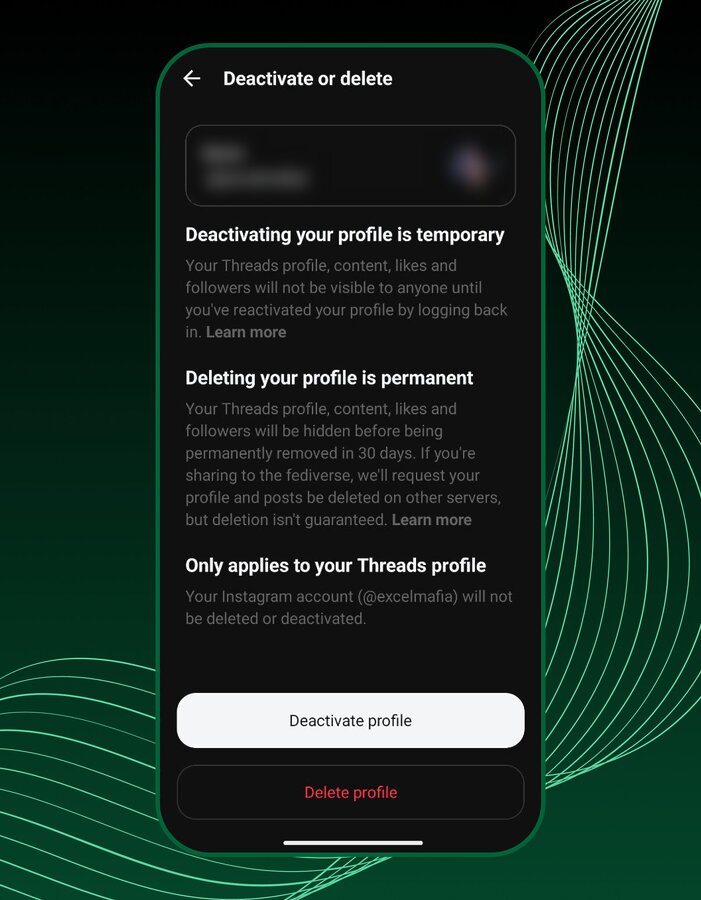
- Final confirmation. Follow the prompts and tap Delete Threads profile to submit the request.
On the Threads website (Threads.com)
- Log In. Go to Threads.com and sign in.
- Open Settings. Click the menu icon (three horizontal lines) in the bottom left, then click Settings.
- Find Account. Click Account at the top.
- Choose the Exit. Click Deactivate or delete profile.
- Select Delete. Click Delete profile.
- Final Confirmation. Follow the prompts and click Delete Threads profile.
The 30-day penalty box: Your last chance
Once you hit that final button, your profile immediately disappears from public view. But the deletion isn’t final yet. You’ve entered the 30-day grace period.
This is your safety net. During this month, your profile is hidden, but the data is still sitting on Meta’s servers, waiting for the final command.
How to undo the deletion
If you change your mind—maybe a new feature drops, or you miss the drama—you can cancel the deletion request easily.
Just log back into your Threads profile within that 30-day window. The app will prompt you to confirm the cancellation. Tap Log in, and your profile will be instantly restored, exactly as you left it.
The Warning: If you let the 30 days pass without logging back in, the deletion process becomes permanent. There is no getting it back after that.
The fine print: What Meta doesn’t always tell you
The core problem is solved—you can delete Threads without deleting Instagram. But you need to know about the three big catches that follow the deletion process. This is the honest talk about data cleanup.
1. The 90-Day re-entry ban
You deleted your account. You feel good. Then, three weeks later, you decide you want back in. Too bad.
If you delete your Threads profile, you are banned from signing up again with the same Instagram or Facebook account for up to 90 days.
Think of it as a mandatory time-out. This policy exists to prevent people from abusing the system by constantly deleting and recreating accounts. If you think you might want to return within three months, stick to Deactivation. Otherwise, you’re sitting on the sidelines for a full quarter.
2. The fediverse mess: Your content is now decentralized
Threads has this feature where it lets you share your posts with the fediverse—a network of independent, decentralized social media servers like Mastodon. It’s a cool idea, but it creates a huge problem for deletion.
When you delete your Threads account, Meta sends a request to all those other servers to delete your content too.
The Catch: Meta has zero control over those independent servers.
They are honest about this: Meta cannot guarantee that those external servers will delete your information.
What this means for you: If you had fediverse sharing turned on, some of your old posts might live on forever in the archives of other decentralized servers. Once your content leaves Meta’s control, it’s out there. This is the reality of decentralized social media. If you used the fediverse feature, your deletion is not a complete wipe.
To understand messaging errors, read why you can’t message disabled Instagram accounts.
3. The data retention reality: The server cleanup takes time
The 30-day grace period is for you. The 90-day cleanup period is for Meta.
After the 30 days are up, the process of wiping your data from Meta’s servers begins. This process can take up to 90 days to complete.
Why the delay? Large tech companies use backup storage for disaster recovery. If a major system fails, they need those backups to restore service. Even after the 90 days, copies of your data might remain in this backup storage for a period.
Meta also keeps some information longer for legal reasons, like terms violations or harm prevention efforts. This is standard industry practice, but you need to know that hitting the delete button doesn’t instantly vaporize your data from every hard drive. It starts a process that takes months.
For limits and rate issues, see our breakdown of the “action blocked on Instagram” problem.
Conclusion
The initial policy was a privacy nightmare. Now, you have the control you should have had from day one. Deleting Threads without touching your Instagram is simple and safe.Just remember the key steps: Download your data first, choose between Deactivation and Deletion, and be aware of the 90-day time-out and the fediverse problem. Manage your digital life with your eyes open. You’re the boss of your data. Use this guide to make a clean exit.