What Is Facebook Farming? A Clear Guide for Safer Multi-Account Growth
If you’ve ever watched a Facebook account disappear overnight, you already know why people look for safer ways to build long-term profiles. Facebook farming grew from that exact fear — losing a project, a page, or an ad account because the profile behind it didn’t look real enough.
Facebook farming isn’t a trick or a shortcut. It’s the process of letting accounts grow slowly so they look, act, and feel like real users. When you do it right, you reduce the chances of instant reviews, sudden locks, or the kind of bans that force you to restart everything from scratch. If you rush it, skip steps, or reuse the same signals across multiple accounts, Facebook notices fast.
This guide breaks down what Facebook farming actually means, how people warm up accounts without raising flags, and what you can do if you’re tired of losing profiles before they even start working. It’s simple, clear, and built for anyone who wants long-lasting accounts instead of quick throwaways.
What Is Facebook Farming? (Simple Explanation)
Facebook farming means growing new accounts slowly until they look stable, active, and trustworthy. A farmed account behaves like a real person — not a rushed setup used to run ads five minutes after creation.
The whole idea started because new accounts kept getting banned. Facebook saw too many “fresh” profiles logging in with the same patterns, the same devices, the same IPs, and the same risky actions. When accounts look identical, they get restricted before they even have a chance to work.
Warming up an account simply means treating it like a normal user. Logging in daily. Browsing a bit. Liking a few posts. Uploading a photo. Nothing intense. Nothing rushed. Just slow, steady activity that doesn’t scream automation or bulk farming.
Why Facebook Farming Exists
The biggest problem is simple: new accounts look too “new.” No history. No routine. No signals that belong to a real human. Facebook flags that instantly.
If you get flagged in the first days, you can still recover by stopping all activity, waiting for a bit, and restarting with smaller actions. But if the setup behind your account is risky — same device, same IP, same fingerprint — the ban comes back.
Platforms distrust mass-created accounts because they’ve seen the pattern thousands of times. Identical environments = identical users = fake. That’s why shortcuts fail. People who try to skip the warm-up phase usually lose profiles faster than they create them.
Read more about buying aged Facebook accounts!
How Facebook Farming Works Step by Step
Facebook farming isn’t magic, it’s just a careful routine. You take a new account, give it a clean environment, and let it grow in stages instead of throwing ads and risky actions at it on day one. Each step has its own role: setting up the account safely, building normal daily behavior, slowly expanding its activity, and only then using it for real work like pages or ads. If you skip one of these stages, that’s usually when the bans start.
Step 1 — Creating Accounts Without Immediate Flags
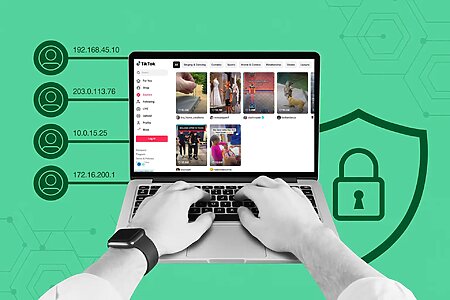
A new account looks suspicious when everything around it is identical to your other profiles — same IP, same browser fingerprint, same device, same timezone. Facebook connects those dots instantly.
A healthy start means giving the account its own environment. A unique IP. A clean browser fingerprint. A small amount of natural activity. Think “new human,” not “new bot.”
Step 2 — Building Normal Activity Patterns
Real users scroll, react, and check things casually. That’s all early-stage farming needs.
A few likes. A few minutes of scrolling. Maybe watching a short video.
What you should avoid in the first days:
adding friends, joining dozens of groups, sending messages, or touching any business tools. These actions scream risk when done too early.
Step 3 — Gradual Profile Expansion
After a few days, you can slowly expand the profile. Upload a picture. Add basic details. Join one group. Follow a page. Keep it natural.
When you rush this step — adding too many friends, posting too much, changing too much — Facebook triggers a review, and the account suddenly lands in verification mode.
Step 4 — Preparing the Account for Work
At this stage, the account should have a small history. A few interactions. A real-looking pattern.
That’s when it can handle more serious tasks: pages, ads, assets, or business tools.
A stable account feels predictable. No sudden restrictions. No login challenges. No random locks when you open Ads Manager.
Facebook Farming Do’s and Don’ts
Do’s
- Stay consistent. A little activity each day works better than one big push.
- Log in like a real person, not on a strict schedule.
- Use clean IPs and a browser environment that doesn’t match all your other accounts.
Don’ts
- Don’t log into multiple accounts from the exact same environment.
- Don’t rush into high-risk actions like ads or friend requests.
- Don’t copy the same routine across every profile — that’s how mass bans happen.
Common Mistakes That Get Accounts Banned
Using the same IP for multiple profiles is one of the fastest ways to get flagged. Facebook sees it and links everything immediately.
Another common mistake is launching ads as soon as the account is created. If you do this, expect the classic “identity check” screen.
Bulk farming without separation is also dangerous. Identical signals = identical risk.
Repetitive actions — same likes, same clicks, same login times — look robotic. Once Facebook sees the pattern, it hits all connected accounts.
If you already got banned, you can still recover by slowing down, cleaning your environment, and restarting with fewer profiles at a time.
Tools People Use for Facebook Farming
People rely on a mix of tools to keep their farmed accounts alive because Facebook catches shortcuts fast. The goal isn’t to trick the system — it’s to build an environment that looks clean, human, and separate for every profile. That’s why most farmers use three things: real-looking IPs, a browser that gives each account its own fingerprint, and light automation that doesn’t push risky actions. When these tools work together, accounts last longer, trigger fewer checks, and recover faster if something goes wrong. Without them, even a perfectly warmed-up account can get flagged the moment you log in from the wrong setup.
Proxies (Residential, Mobile, ISP)
Real-looking IPs make a massive difference. Residential and mobile Facebook proxies copy normal user behavior. Cheap datacenter proxies usually trigger instant checks because too many people share the same ranges.
Anti-Detect Browsers
Fingerprint control is the backbone of safe farming. When every account runs in a separate, real-looking environment, Facebook struggles to link them. This reduces the review rate and gives profiles more room to grow.
Automation Tools
Automation can help, but only when used lightly. If it pushes too many actions too fast, accounts break. Safe farming uses small, randomized actions — nothing repetitive or aggressive.
Facebook Farming Timeline: How Long It Usually Takes
The first 48 hours are the most sensitive. Only light actions are safe.
After a week, the account usually feels more stable — routine login, some activity, some history.
The right time to run ads or create pages depends on how the account behaves. If it stays quiet with no warnings, you can move forward. If you see friction or small checks, wait.
If progress stalls, stop touching the account for a day or two. Let things settle.
How to Recover if Your Accounts Get Flagged
The first step is simple: stop all actions. Don’t touch the account when it’s being reviewed.
Wait. Let it breathe.
Then clean your setup. Fix IP issues, fingerprint problems, or overlapping environments.
If nothing works, migrate to safer profiles and rebuild your process with slower actions. Some accounts can be saved. Others can’t. Don’t waste weeks on a dead profile.
FAQ
How long does Facebook farming usually take?
Most accounts need days, not hours. The first 48 hours are the most delicate. If the account feels stable after a week, you can slowly move into heavier actions like pages or ads. Rushing always ends in reviews or bans.
Why do new Facebook accounts get banned so fast?
Because they look identical — same IPs, same fingerprints, same actions, same timing. Facebook sees the pattern instantly. When an account has no history and too many shared signals, the system doesn’t trust it.
Can I farm multiple Facebook accounts on one device?
You can, but it’s risky. If every profile shares the same environment, the whole batch can get flagged. Separate fingerprints and clean IPs reduce that risk.
Should I use automation during Facebook farming?
Only if it’s light and feels human. If the automation pushes too many clicks or repeats the same pattern, the account hits a review. A few slow actions are safe. Anything aggressive isn’t.
When is an account “ready” for ads or business tools?
When it has routine. A bit of history. No warnings. No login challenges. If you try to run ads before the account develops real signals, the system blocks you instantly.
Conclusion
Farming works when you need long-term, reliable accounts that won’t explode the moment you launch ads.
It becomes a waste of time when you try to scale too fast or reuse the same setup across everything.
The safest path is a mix of patience, clean environments, and real-looking behavior. The one takeaway: slow accounts live longer. If you push too hard, Facebook pushes back harder.