

Fake Address Generator: Create Random Addresses Instantly Without Leaking Real Data
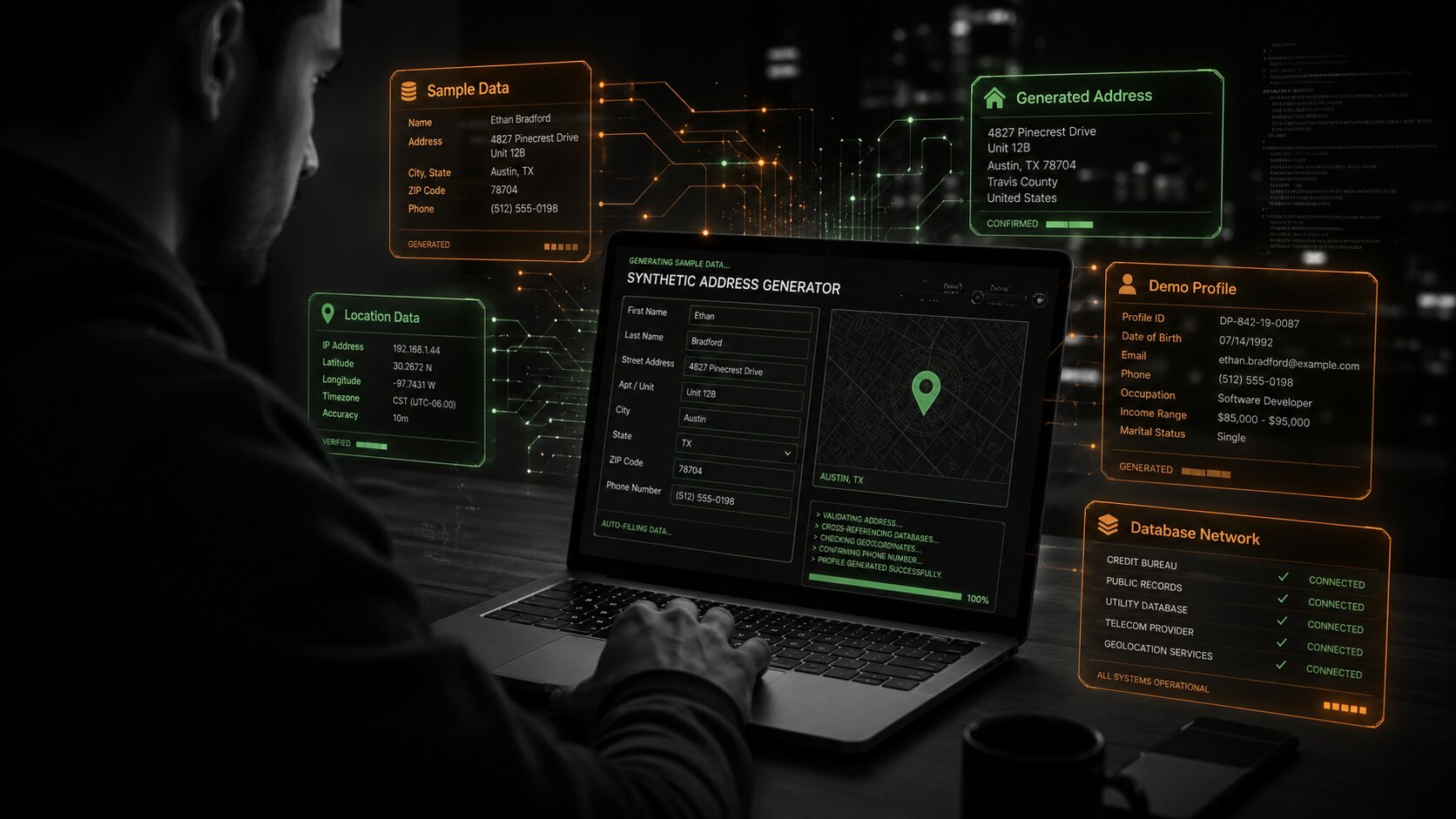
Fake address generator tools can help you create random addresses instantly for testing, privacy, and QA. But they should not be confused with full online anonymity.
A fake address may hide what you type into a form, but websites look far beyond form fields. They can check your IP location, browser fingerprint, timezone, device signals, DNS leaks, WebRTC leaks, language settings, and other clues to decide whether your setup looks consistent or suspicious.
That is why an adress generator is useful in the right context. You can use it to test checkout forms, protect personal details in product demos, create sample user data, or build safer QA workflows without exposing real information. A random address generator is especially helpful for teams that need realistic placeholder data at scale.
But here’s the catch: If you pick a U.S. address and your IP, timezone, DNS or browser signal somewhere else, the setup might look fake. For mobile workflows, Multilogin Cloud Phone can help create separate Android cloud environments with isolated device, storage, OS, and network signals. After setting up your environment, Pixelscan can help you check whether your browser fingerprint, proxy, DNS, VPN, WebRTC, and bot signals match the identity you are trying to test.
A fake address generator is best used for legitimate testing, privacy protection, demos, and QA – not for fraud, bypassing KYC, payments, or breaking platform rules. The safer approach is simple: generate realistic test data, keep your browser or cloud phone environment consistent, and scan for leaks before running any workflow.
What is a fake adress generator?
A fake adress generator is a tool that creates random address details, usually including:
- Street name
- City
- State or province
- ZIP or postal code
- Country
- Sometimes phone number or profile data
The spelling “adress” is technically incorrect, but many users type it that way when searching. The correct word is “address.” Still, the intent is the same: users want instantly generated location data.
A good random address generator creates realistic-looking address formats. For example, a US address should include a state, ZIP code, and city format that makes sense. A UK address should follow a different structure.
This matters because forms, checkout pages, onboarding flows, and test environments often validate address fields differently depending on country.
Test yourself: is your “fake” address actually consistent?
Before you trust a random address, run this quick experiment.
- Generate a random address in another country.
- Open your browser.
- Check your IP location.
- Check your timezone.
- Check your browser language.
- Check your DNS and WebRTC leaks.
- Compare everything.
Here is the uncomfortable part.
If your fake address says Germany, but your IP shows Vietnam, your timezone says Asia/Ho_Chi_Minh, and your browser language is English-US, your setup looks inconsistent.
That does not automatically mean you are doing something wrong. But it does mean websites can detect a mismatch.
Before using any random adress generator for testing, run a quick browser check on Pixelscan. It helps you see your IP, fingerprint, DNS, WebRTC, proxy status, and location signals in one place.
=> Need a more secure setup for managing multiple Snapchat accounts? This guide shows what to check before you expand.
When should you use a random adress generator?
A random address generator can be very useful when you need believable sample data, but you don’t want to expose anyone’s real personal information.
Common use cases are:
- It is used by developers to test registration pages, login flows, checkout forms and account setup.
- It is used by QA testers to test address validation, required fields, warning messages and form errors.
- Marketers use it to create sample customer profiles for demos, mock campaigns, or client presentations.
- Social media managers use it to create fictional personas, training materials, and sample content plans.
- It allows e-commerce teams to test shipping forms, delivery zones, checkout steps, and location-based rules.
- CRM managers use it to fill test databases with sample contacts instead of actual customer records.
- Automation specialists use it to generate repeatable test data for scripts, workflows and integrations.
- Support teams use it to train new employees on real-life, but fictitious, customer cases.
- Growth teams use it to test local landing pages, regional offers, and user journeys based on location.
- Internal teams use it to create screenshots, reports, guides and sample datasets without revealing private data.
Fake address generators are great for safe, honest and privacy focused work. It lets teams create realistic examples without putting actual customer information in demos, documents, tools, and test environments.
=> Interested in managing multiple social media accounts? Explore our guides on creating multiple Binance, Douyin, Facebook accounts, and more.
When you should not use a fake adress generator
A fake adress generator should not be used to commit fraud, bypass identity checks, mislead banks, avoid legal obligations, or receive goods under false information.
It should also not be used for:
- KYC verification
- Financial accounts
- Tax documents
- Legal contracts
- Shipping real products
- Insurance forms
- Government services
- Marketplace seller verification
- Any platform where accurate identity is required
There is a simple rule:
Use fake addresses for testing and privacy-safe workflows, not for deception.
If a platform asks for a real address because it is legally required, a fake address can create account problems, failed verification, blocked transactions, or worse.
=> Explore the core differences between Antidetect and VPN – and discover which fits your needs for privacy and handling multiple profiles.
Top 5 best fake address generator tools for privacy & testing purposes
A good fake address generator should generate not only random street names. “It will help you test country formats, postal code logic, real world form behavior, checkout flows and data consistency. Here are five practical tools to compare.
1. Random address generator BrowserStack
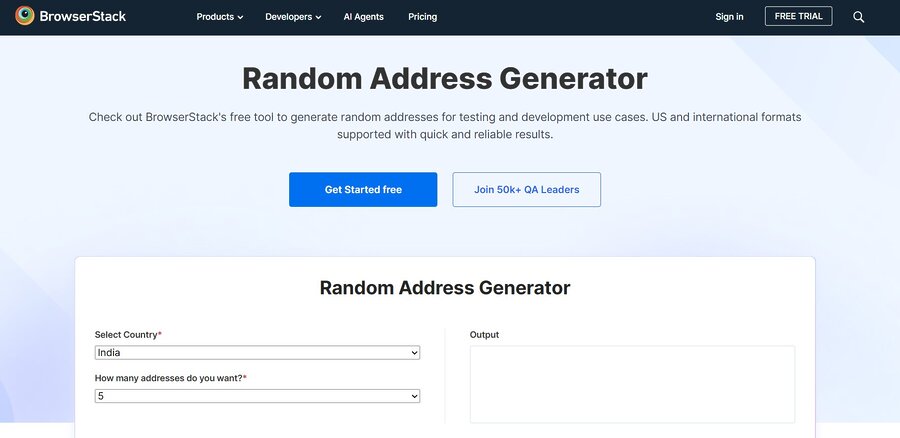
Origin: BrowserStack is a popular software testing platform used by developers and QA teams to test browsers and apps.
Highlight: Its random address generator is for testing purposes only, not for creating false identities. This makes it a more professional and safer option for teams requiring clean dummy address data.
Benefits:
- Perfect for developers and QA teams
- This is useful for signup forms, checkout pages and CRM tests.
- Trusted brand, testing in the center
- Easy enough to use fast
Cons:
- Not good for people with full random profiles
- Limited if you need advanced bulk export.
Best for: Website form testing, checkout flows, app onboarding, and location-specific fields.
Professional QA, FakeAddressGenerator.com is better. But more test data than big fake identity data like BrowserStack.
2. Testsigma random address generator
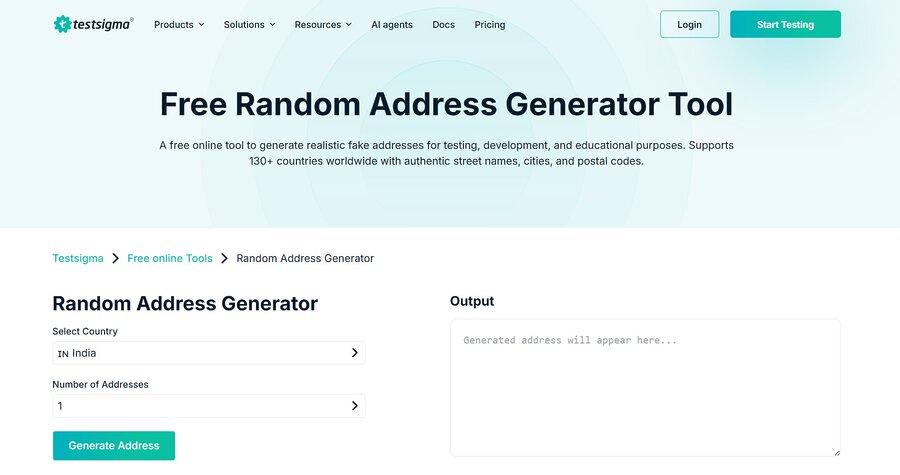
Origin: Testsigma is a test automation platform and so is its address generator geared towards QA and software testing workflows.
Highlight: It can generate a large number of fake addresses for many countries, which can be useful when you need to test forms in different regions.
Advantages:
- Support for generating country-specific addresses
- Great for mass testing!
- (Great for automation and QA workflows!)
- Address field with structure
Cons:
- Interface – functional rather than polished
- Not to test the reliability of browsers or networks
Best for: Bulk test data, form validation, ecomm QA and automation workflow.
If you want to have multiple addresses at the same time, then Testsigma is better than BrowserStack. But BrowserStack can be easier if you want to do quick manual testing.
3. TestingBot random address generator
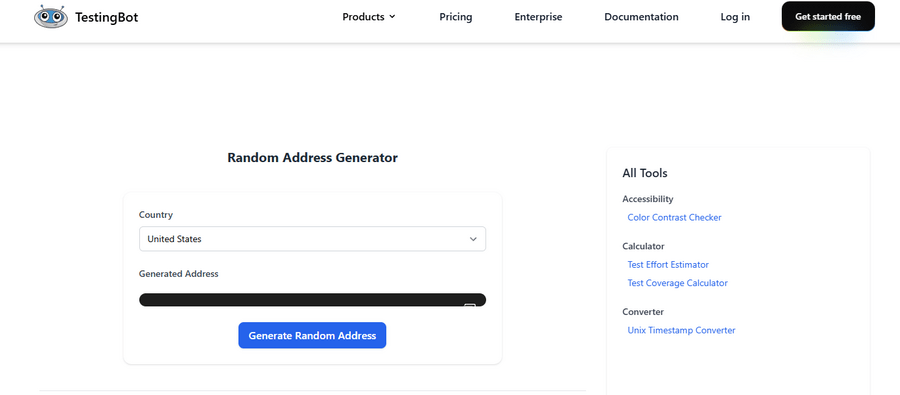
Origin: TestingBot is a browser & app testing service and is used for automated testing against real browsers & real devices.
It has an easy to use address generator. You choose a country, generate an address, and then use that address directly in manual or automated tests.
Good:
- Easy to use
- Multi-country support
- Suitable for automated testing
- Fake identity data is not overused
Con:
- Limited customizations
- Not so good for larger test data sets
Great for: quick address generation, form filling verification, browser automation, QA testing.
TestingBot vs Testsigma TestingBot is preferable for fast one-off tests. If you need more structured test data or multiple addresses, Testsigma is better.
4. FakeAddressGenerator
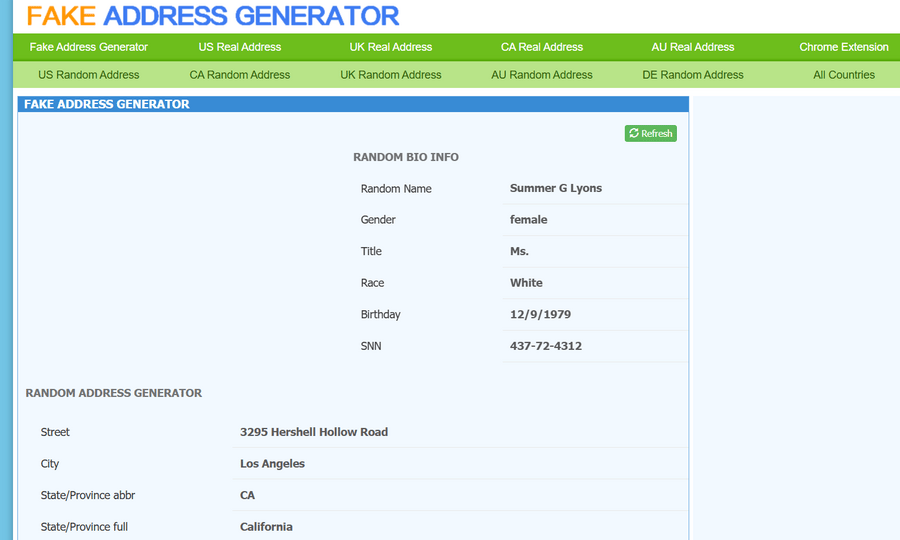
Origin: FakeAddressGenerator.com is the oldest and most popular fake address generator website.
Highlight: Fast at generating address data and usually has more detailed profile-type data. Convenient, but users should be careful not to copy identity-like information unnecessarily.
Pros:
- Very fast and easy to use.
- Has a lot of options for location
- demos, good for fillers
- Can produce more complete sample profiles
Cons :
- It may have too much info.
- Less appropriate for rigid QA documentation
- The risk of extra identity style fields being misapplied
Best for: dummy addresses, dummy profiles, demos and simple placeholder data
This tool is wider but less QA focused than BrowserStack or TestingBot. Only copy the address fields you actually need for safe testing.
5. Fake address generator – MiniWebTool
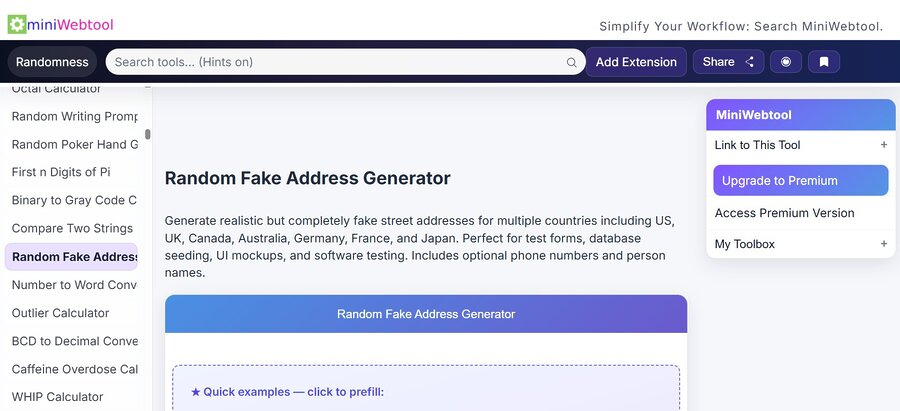
Origin MiniWebTool offers a number of small web utilities, including calculators, generators and data tools.
Random fake address generator for creating structured test data. It supports several countries and can be tailored for workflows such as mock datasets, UI prototypes and database seeding.
The good stuff:
- Multi country support .
- Great for bulk style test data
- Great for UI tests and mockups
- Can assist with structured test cases
Drawbacks:
- Not as popular as BrowserStack and Testsigma
- Check out generated data before serious QA use
- Optional names or phone numbers may not be needed
Great for: mock data sets, QA logs, UI mockups, seeding databases, testing exports.
Quick comparison: best fake address generator tools
| Tool | Best for | Key strength | Limitation |
| BrowserStack Random Address Generator | Developers and QA teams | Clean testing-focused tool | Less focused on full identity-style data |
| Testsigma Random Address Generator | Software testing and automation | Generate multiple formatted addresses | More functional than visual |
| TestingBot Address Generator | Manual and automated tests | Supports multiple countries | Basic interface |
| FakeAddressGenerator.com | Quick fake address and profile-style data | Simple and fast | Can include more data than needed |
| MiniWebTool Random Fake Address Generator | Bulk dummy data and exports | CSV/JSON-style testing use cases | Newer tool, should be reviewed before production use |
How to choose a good fake address generator?
Not every address generator is equally useful.
Some tools simply combine random words and numbers. Others create better location-based data that follows real address formatting rules.
A good fake address generator should offer:
- Country selection: You should be able to generate addresses for specific countries.
- Valid-looking postal format: The ZIP or postal code should match the country’s structure.
- City and region consistency: A city should not be paired with the wrong state or province.
- Fast copy function: Testers should be able to copy data quickly.
- No unnecessary sensitive data: Be careful with tools that generate fake SSNs, credit cards, or identity profiles. For most testing, you only need address fields.
The best tool is not the one that gives the most data. It is the one that gives the safest amount of useful test data.
Mini experiment: address vs browser location
Try this simple test.
Generate three random addresses:
- One in the United States
- One in Germany
- One in Brazil
Now check your browser with Pixelscan.
Ask yourself:
- Does my IP match the country I am testing?
- Does my timezone match?
- Does my browser language match?
- Is my proxy detected?
- Is WebRTC exposing another location?
- Does my fingerprint look consistent?
If the answer is “no,” your random address is not the weak point. Your browser environment is.
This is especially important for multi-account managers and automation specialists. When you create different accounts, each account should have a consistent environment. The address, IP, timezone, language, and fingerprint should not fight each other.
For advanced setups, tools like Multilogin can help create separate browser profiles with stable fingerprints, while Nodemaven can support cleaner proxy routing when IP quality matters. The point is not to “fake everything.” The point is to make your testing environment consistent and controlled.
The hidden risk: address data can create mismatches
Most people focus only on the address field. Detection systems look at the whole picture. Let’s say you use:
- A New York address
- A London IP
- A Vietnam timezone
- A Spanish browser language
- A device fingerprint seen across many accounts
That combination may look unusual. For normal website testing, this may not matter. But for multi-account workflows, ad platforms, marketplaces, and automation-heavy environments, mismatches can increase checks, CAPTCHAs, or account reviews.
This is why a fake address generator should be part of a bigger testing checklist, not the entire strategy.
=> If you are testing on mobile, address data is only one part of the privacy picture. Your phone can still expose device signals, network clues, app behavior, and fingerprint patterns that make anonymization harder. Read our guide on mobile fingerprinting in 2026 to understand why phones are harder to anonymize than laptops.
Fake address generator vs random profile generator
A fake address generator usually creates location data only.
A random profile generator may create a full identity-style profile, including names, phone numbers, birthdays, usernames, and sometimes sensitive-looking details.
| Feature | Fake Address Generator | Random Profile Generator |
| Main purpose | Creates location data only | Creates a full identity-style profile |
| Common data included | Street, city, state, ZIP/postal code, country | Name, address, phone number, birthday, username, and other details |
| Best for | Testing address fields, checkout forms, geo-specific pages | Testing user profile flows or demo user records |
| Data risk | Lower, because it uses limited data | Higher, because it may include more personal-looking information |
| Safe workflow rule | Use it when you only need address data | Use it only when a full profile is truly required |
| Payment testing | Not suitable for payment data | Not suitable for payment data |
| Better alternative for payments | Use official sandbox payment data from your payment provider | Use official sandbox payment data from your payment provider |
| Key principle | Generate only the address you need | Do not collect or generate more than necessary |
How to use a fake address generator safely
Use this simple process:
- Decide what you are testing.
- Generate only the fields you need.
- Avoid sensitive identity data.
- Match the address country with your test scenario.
- Check your browser location and fingerprint.
- Keep fake data out of production analytics if possible.
- Label test accounts clearly.
- Delete test records when they are no longer needed.
This sounds basic, but it prevents messy databases, false analytics, and privacy risks.
A random adress generator is useful when it supports a clear workflow. It becomes risky when people use it without knowing what other signals websites can see.=> Want to explore the Best 14 Cloud Phone Android Platforms for Multi-Account Automation? This guide shows how cloud phones help you run and manage multiple Douyin accounts smoothly on virtual Android devices.
FAQ
Fake address generator is helpful when you need realistic dummy address data without using real personal information. It can generate street, city, state, postal code and country details for QA, demos, screenshots or form testing. However, it should be used only in safe testing environments, not for misleading services, bypassing verification, and not for real transactions. And if you care about privacy consistency, things like Pixelscan can help you verify if your browser signals match your test environment.
For legitimate testing, training, demos or privacy-safe workflows, random adress generator is generally fine. For example, when testing checkout forms, developers often use fake addresses to prevent the disclosure of customer data. But the risk becomes real when fake data is used for fraud, KYC bypass, false declarations or real-world services where accurate details matter. Use it only in the right context. Pixelscan can also be helpful for privacy testing by reviewing your browser environment.
Fake address generator can reduce how much real information you enter into forms, but it does not protect your privacy. Websites may still detect your IP address, timezone, DNS, WebRTC, language, and browser fingerprint. Therefore, if your fake address does not match your technical signals, the setup may look inconsistent. As a practical next step, you can use Pixelscan, or consider Multilogin Cloud Phone for mobile cloud environment testing.
Address generator and random address generator usually mean almost the same thing: both create address data automatically. The difference is mostly user intent. “Adress generator” sounds more general, while “random address generator” often means instant random output for testing, demos, or privacy workflows. In either case, the data should be realistic in format, matched by region, and used only where dummy information is acceptable, not for verification abuse or real transactions.
Fake adress generator only changes the address details you type, while websites can still compare them with technical browser signals. For example, if your address says one country but your IP, timezone, language, or DNS points somewhere else, the setup may look inconsistent. That matters for QA, automation, privacy testing, and multi-account workflows. Therefore, checking with Pixelscan is a practical step. Multilogin Cloud Phone may also help when testing mobile cloud environments.
Do not use it for banking, KYC, tax forms, insurance, legal agreements, government services, real shipping, platform verification. You should also avoid fake SSNs, fake documents, and fake payment credentials. Instead, generate only the fields you actually need for safe testing. For payment tests, use official sandbox data from the provider. In addition, Pixelscan can help check whether your browser environment creates location or fingerprint inconsistencies.
Final takeaways
A fake adress generator can be useful, but it is not a privacy shield by itself. Use it to create random addresses for testing, QA, demos, and privacy-safe workflows. Do not use it for fraud, KYC, banking, shipping, or legal forms. The biggest lesson is simple: Your typed address is only one signal. Your browser may reveal much more. Before trusting any random adress generator, test your IP, DNS, WebRTC, proxy status, and browser fingerprint. Pixelscan can help you see what websites may detect before you continue.
If your workflow involves multiple accounts, mobile accounts, or automation, consistency matters even more. In those cases, tools like Multilogin and Nodemaven may help create cleaner, more stable environments when used responsibly. Try a quick scan on Pixelscan before your next test. You may be surprised by how much your browser reveals before you type anything.