




Top Google Rank Checker APIs for Tracking Keyword Rankings
You think your keyword rankings are stable because your SEO tool says so. But here’s the uncomfortable part: Google rankings are not one fixed number.
They change by country, city, device, language, search history, browser signals, and even the way your request is made. A keyword can look like position #3 in one setup and #11 in another.
That is why a Google rank checker API is no longer just a “nice to have” for SEO teams. It is the difference between tracking real visibility and trusting a screenshot from one browser session.
If you manage SEO at scale, run automation, track many locations, or build dashboards for clients, a Google rank checker API gives you cleaner, repeatable, programmable ranking data.
But not every API is built the same. Some give simple organic positions. Some return full SERP data. Some handle local results, mobile rankings, ads, snippets, maps, and rich results. Others break when Google changes layouts or triggers bot checks.
👉 Let’s break down what actually matters when choosing a Google rank checker API.
Is your rank tracking setup lying to you?
Before choosing a google rank checker API, do this quick experiment. Search one important keyword manually from:
- Your normal browser
- Incognito mode
- A mobile device
- A VPN or proxy location
- A clean browser profile
Now compare the results. You will likely see differences in:
- Organic positions
- Local pack visibility
- Ads above organic results
- Featured snippets
- “People also ask” results
- Maps results
- Mobile vs desktop layout
Now open Pixelscan and test your browser fingerprint. If your browser, IP, proxy, timezone, language, VPN, WebRTC, or device signals do not match the location you are trying to test, your “rank check” may not reflect what real users see.
👉 That is the hidden problem with manual rank checking. You are not just checking Google. You are checking Google through your current identity.
What is a rank checker API?
A rank checker API is a tool that lets you track keyword positions automatically through code. Instead of opening Google and checking rankings by hand, you send a request with parameters like:
- Keyword
- Domain
- Country
- City
- Language
- Device type
- Search engine
- Result depth
- Frequency
The API returns structured data, usually in JSON. That data can include:
- Organic ranking position
- Ranking URL
- Page title
- Meta description
- SERP features
- Ads
- Maps results
- Local pack
- Featured snippets
- Search volume or keyword metadata, depending on provider
👉 A rank checker API turns Google ranking data into something your dashboards, reports, alerts, and SEO workflows can use automatically.
Why manual rank checking is broken
1. Google personalizes results
Your location, device, language, search history, and browser environment can affect what you see. Even if personalization is limited, localization is very real. A search for “best dentist” in New York is not the same as the same search in Austin, London, or Berlin.
2. SERPs are no longer just ten blue links
Modern SERPs include:
- Ads
- AI Overviews
- Featured snippets
- Local packs
- Images
- Videos
- Shopping results
- People Also Ask
- Knowledge panels
- Sitelinks
A basic rank number does not tell the full story. You might rank #2 organically but still appear below ads, maps, snippets, and AI-generated sections.
3. Browser signals can affect automation
If you run rank checks through scripts, headless browsers, or repeated requests, detection becomes a real issue. Google may show:
- CAPTCHA
- Block pages
- Incomplete results
- Different layouts
- Temporary throttling
That is where your automation setup matters. Pixelscan can help you test whether your browser setup looks consistent or suspicious before you rely on it for rank tracking workflows.
When do you actually need a rank google rank checker API?
You probably need a seo rank tracking api if you:
- Track hundreds or thousands of keywords
- Monitor rankings across many countries or cities
- Need mobile and desktop results
- Build client dashboards
- Run SEO experiments
- Need ranking alerts
- Compare landing page performance
- Track local SEO visibility
- Combine ranking data with analytics, CRM, or BI tools
You may not need an API if you only check 10 keywords once a month. But once ranking data becomes part of your growth system, manual checks become too slow and too messy.
=> Find practical guides for managing multiple social media accounts across Binance, Douyin, Facebook, and other account setups.
Top rank google rank checker API options to consider
There is no single “best” API for everyone. The right choice depends on what you need: clean organic rankings, full SERP data, local tracking, high volume, or custom automation.
1. SERP API for full search result data
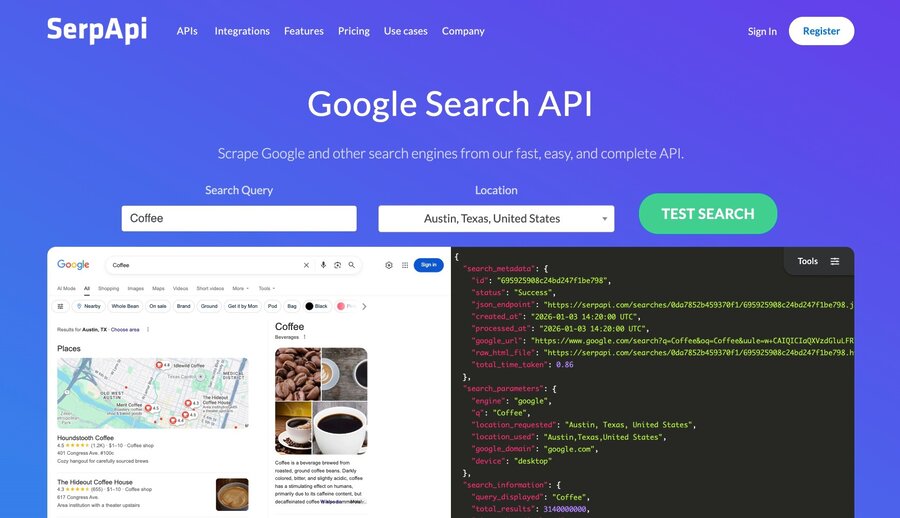
Best for:
- SEO dashboards
- SERP feature tracking
- Competitor monitoring
- Search result analysis
- Content gap research
Look for:
- JSON output
- Country and city targeting
- Mobile and desktop support
- Organic result parsing
- Local pack parsing
- Screenshot or HTML options
- Reliable uptime
2. Keyword ranking API for position tracking
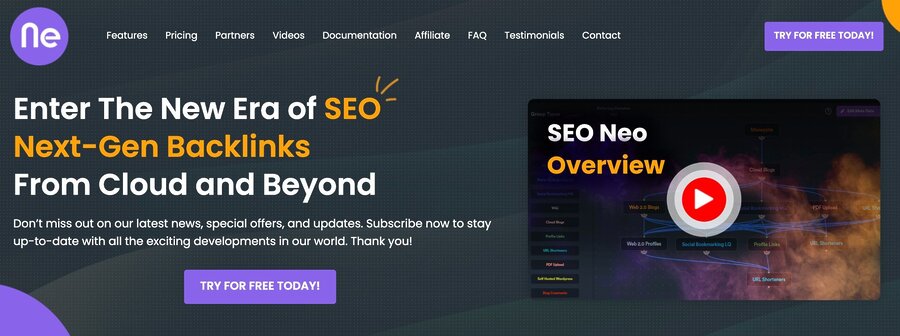
A keyword ranking API focuses on one main question: Where does my domain rank for this keyword? It is usually cleaner than a full SERP API if your goal is reporting.
Best for:
- Daily rank tracking
- SEO reporting
- Agency dashboards
- Keyword movement alerts
- Page-level performance tracking
Look for:
- Accurate domain matching
- Historical ranking data
- Location support
- Device support
- Tagging or grouping
- Export options
- Stable pricing at scale
This is often the best choice for SEO teams that need reliable reports without storing the full SERP every time.
3. Google rank checker API for Google-focused SEO
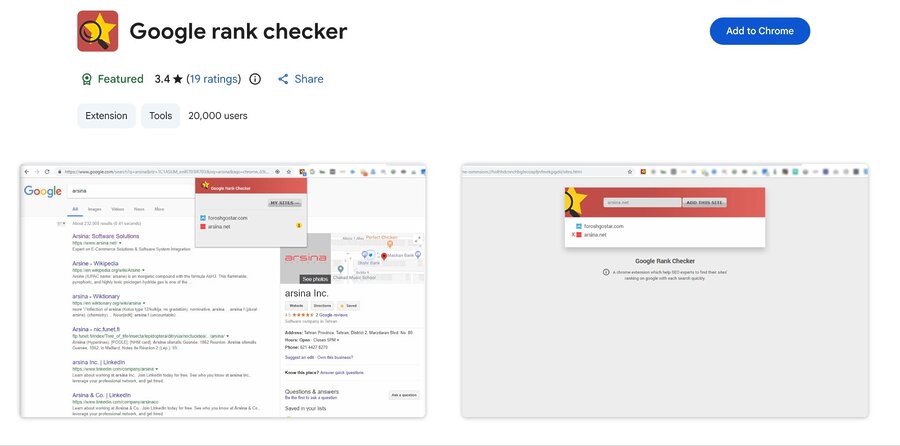
A google rank checker API is built specifically for Google results. That matters because Google has many result types and frequent layout changes.
Best for:
- Google SEO campaigns
- Local SEO tracking
- International SEO
- Mobile-first ranking reports
- SERP volatility monitoring
Look for:
- Google country support
- Google language support
- City-level tracking
- Mobile user-agent support
- Local pack extraction
- Featured snippet detection
If most of your organic traffic comes from Google, choose an API that handles Google SERPs deeply, not just generically.
4. Local rank tracking API
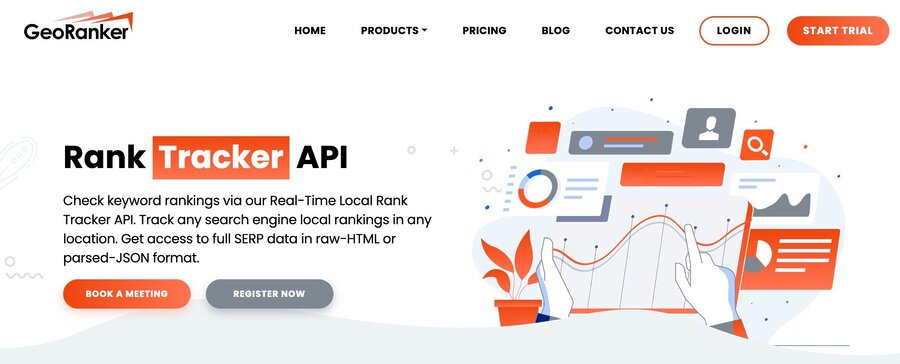
Local rankings are a different game. A national ranking check may say you are invisible. A city-level check may show you in the local pack.
Best for:
- Local businesses
- Agencies
- Franchises
- Service-area businesses
- Marketplace SEO
- Multi-location brands
Look for:
- City-level targeting
- GPS or coordinate-based search
- Local pack results
- Map rankings
- Business profile data
- Mobile search results
For local SEO, “country-level” data is often too broad to be useful.
5. Mobile rank checker API
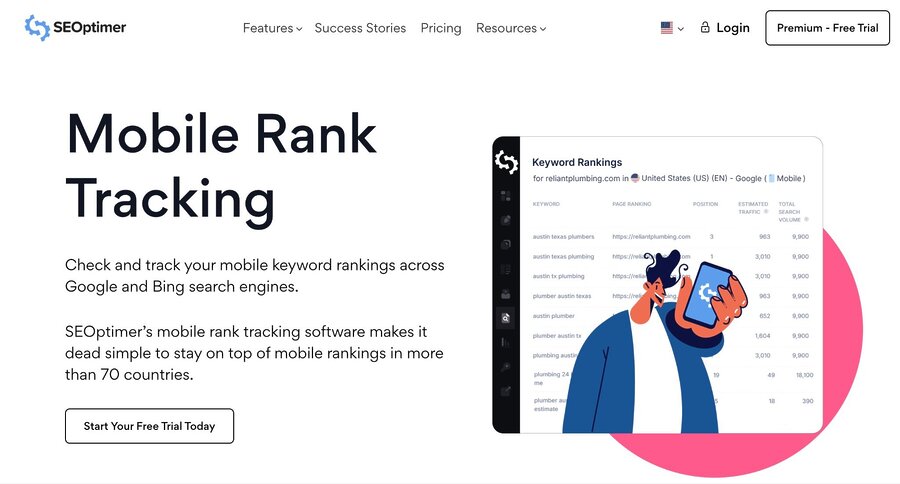
Mobile and desktop results can differ a lot. Google may show different layouts, different SERP features, and different ranking behavior depending on device.
Best for:
- Mobile-first websites
- App-related searches
- Local SEO
- Ecommerce
- Social media and marketplace pages
- International SEO
Look for:
- Real mobile user-agent support
- Mobile SERP parsing
- Mobile snippets
- Mobile local packs
- Mobile screenshots or HTML
This is especially useful for teams managing many mobile-first accounts or mobile-heavy campaigns.
What to look for in a google rank checker API
Use this checklist before choosing a provider.
1. Data accuracy
The API should return results that match the search environment you requested.
Check:
- Country
- City
- Language
- Device
- Search engine
- Result depth
2. SERP feature coverage
Modern SEO needs more than organic rank.
Track:
- Featured snippets
- Local packs
- Ads
- People Also Ask
- Images
- Videos
- Shopping
- Knowledge panels
3. Location targeting
For serious SEO, country-level tracking is not enough. Choose city-level or coordinate-level targeting if you care about local visibility.
4. Mobile support
Mobile rankings matter because many users search on phones. Your API should support mobile-specific results, not just desktop results with a mobile label.
5. JSON structure
Clean JSON saves engineering time. Messy responses create reporting bugs. Look for consistent fields such as:
- Position
- URL
- Title
- Snippet
- Domain
- Result type
- SERP feature
- Timestamp
6. Scalability
Ask what happens when you track:
- 1,000 keywords
- 10,000 keywords
- 100 locations
- Daily updates
- Hourly checks
Pricing and rate limits matter fast.
7. Detection resistance
Rank tracking at scale can trigger bot checks. If you build your own system with browsers, proxies, and automation frameworks, test your browser identity first.
👉 Run a quick Pixelscan check to see whether your IP, fingerprint, timezone, language, and device signals look consistent.
API Data vs Browser Data: what to compare
| Compare point | API data | Browser data |
| Ranking position | API keyword position | Real browser result |
| Location | Set by API parameters | Based on IP, timezone, and language |
| Device type | Desktop/mobile settings | Actual or simulated device |
| SERP features | Parsed snippets, ads, local packs | Live SERP layout |
| Consistency | Better for repeatable tracking | Better for real-user validation |
| Mismatch risk | Wrong API settings | Cookies, fingerprint, or personalization |
| Best use | Reporting and dashboards | Manual checks and QA |
If the API shows position #4 but the browser often shows #9 or no result, check location, device, language, SERP layout, and browser environment.
When rank tracking needs real browser validation
A rank checker API is the best starting point for structured SEO tracking. It gives you repeatable keyword data for reports, dashboards, and alerts.
But API data does not always show how a real browser sees Google. That matters when you need to validate:
- Local SERPs in different cities
- Mobile vs desktop ranking differences
- SERP layouts with snippets, maps, and ads
- SEO QA workflows before client reporting
- Browser-based automation behavior
- Multiple clean testing environments
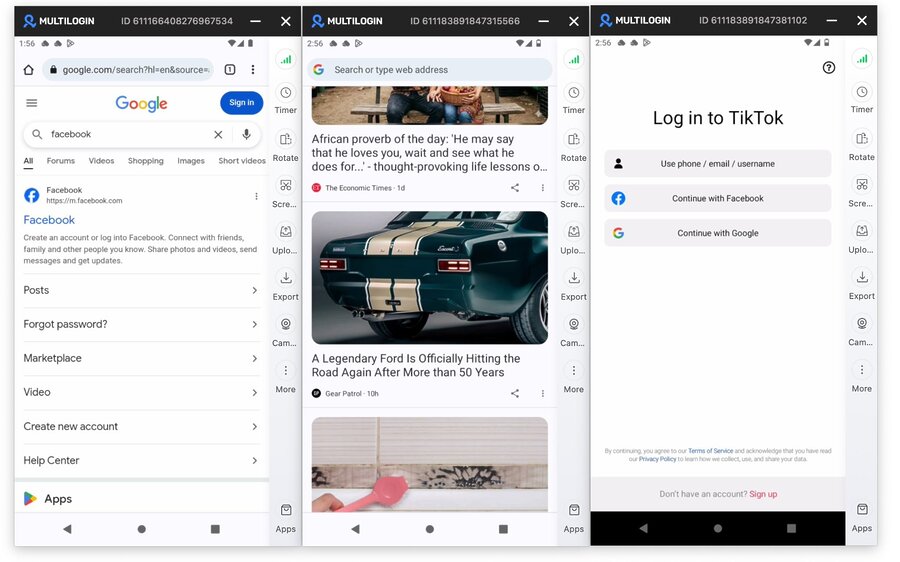
This is where Multilogin can support the workflow.
With Multilogin, SEO teams can create separate browser profiles for different markets, devices, and testing scenarios. Instead of checking rankings from one messy browser session, you can compare API data against cleaner browser environments.
For mobile-heavy campaigns, Multilogin cloud phones add another layer. Teams can test how mobile SERPs, app-based workflows, and location-based results appear from cloud Android devices, without switching between physical phones.
This is useful for agencies, affiliate teams, local SEO teams, and automation specialists who need more than a ranking number. They need to know whether the result makes sense in a real environment.
👉 Multilogin’s trial starts at $2 for 3 days, while paid plans start from $7.08/month when billed annually.
Best use cases for google rank checker API
A good seo rank tracking api can power much more than a basic ranking report.
| Use case | How it helps |
| Ranking alerts | Get notified when a keyword drops or rises sharply |
| Content refresh decisions | Find pages losing visibility before traffic drops further |
| Competitor monitoring | Track who gains snippets, local packs, or top positions |
| Local SEO reporting | Compare rankings by city, not just by country |
| SEO experiments | Measure changes after title, content, or internal link updates |
| AI search preparation | See which pages appear in informational SERPs that may influence AI answers |
| Client dashboards | Send clean ranking data into Looker Studio, Power BI, Sheets, or custom reports |
Use the API data to spot movement early, then validate important changes with real-browser checks when accuracy matters.
=> Looking to protect your real data? This guide explains how a fake address generator can create random addresses instantly.
How to choose the right rank checker API
Use this simple decision framework.
- Choose a full api if you need complete SERP data.
- Choose a keyword ranking API if you mainly need clean position tracking.
- Choose a google rank checker API if Google is your main search channel.
- Choose a local API if your rankings depend on city-level visibility.
- Choose a mobile-focused API if most conversions happen on mobile.
And if you build custom browser automation around rank tracking, always test your environment.
👉 Start with Pixelscan and check whether your browser fingerprint, IP, timezone, language, and device signals make sense together.
FAQ
A rank checker API uses the location, device, language, and search settings you send in the request. Your browser uses a different environment: IP address, cookies, timezone, fingerprint, search history, and device signals. That is why the API may show position #4 while your browser shows #9. The goal is not a perfect match every time. The goal is consistent, explainable data.
Validate API data when the keyword is important, the ranking moved suddenly, or the SERP looks unusual. This is especially useful for local SEO, mobile rankings, featured snippets, local packs, and client reports. A rank checker API is great for scale, but a clean browser check helps confirm what a real search environment may actually show.
Pixelscan does not replace a rank checker API. It helps you test the browser environment you use to validate API results. Before comparing API data with browser data, use Pixelscan to check whether your IP, timezone, language, WebRTC, and fingerprint signals are consistent. If those signals do not match, your manual browser check may be misleading.
A rank checker API gives structured ranking data, but some teams also need real mobile validation. Multilogin Cloud Phones can help test mobile-like search environments from cloud Android devices. This is useful for local SEO teams, agencies, affiliate teams, and automation specialists who need to compare API rankings with how mobile SERPs appear in cleaner, separate testing environments.
Clear takeaway
A rank checker API helps you track keyword rankings automatically, but ranking data is only useful when the search environment is clear.If you want the complete SERP result data, go SERP API.
It can show organic results, ads, snippets, local packs, and other SERP features. If you need clean reporting mostly, a keyword ranking API is better for dashboards, alerts, and client updates.For local SEO, city-level tracking matters. Country-level data can hide major ranking differences between locations.
For mobile SEO, desktop data is not enough. Mobile SERPs often show different layouts, local results, and user behavior.
The most reliable workflow is simple: use API data for scale, then validate important results with real-browser checks.
That is where Pixelscan becomes useful. Before trusting browser-based rank validation, test your browser setup and see what it reveals about your IP, fingerprint, timezone, language, and device signals.
For teams working with mobile-first SEO, localized SERPs, app-based workflows, or many testing environments, Multilogin cloud phones can add another layer. Multilogin lets teams check mobile-like environments from cloud Android devices and compare those results with API data.


